Platforms
A Managed Agent Product Inside an AI Business Harness: What It Covers and What It Doesn't
This managed agent product comes with more built-in controls than most. It still isn't a complete business harness. Here's where the line falls, and how to use it without overtrusting it.
A capable model, and a reasonably complete managed agent product, still aren't the harness.
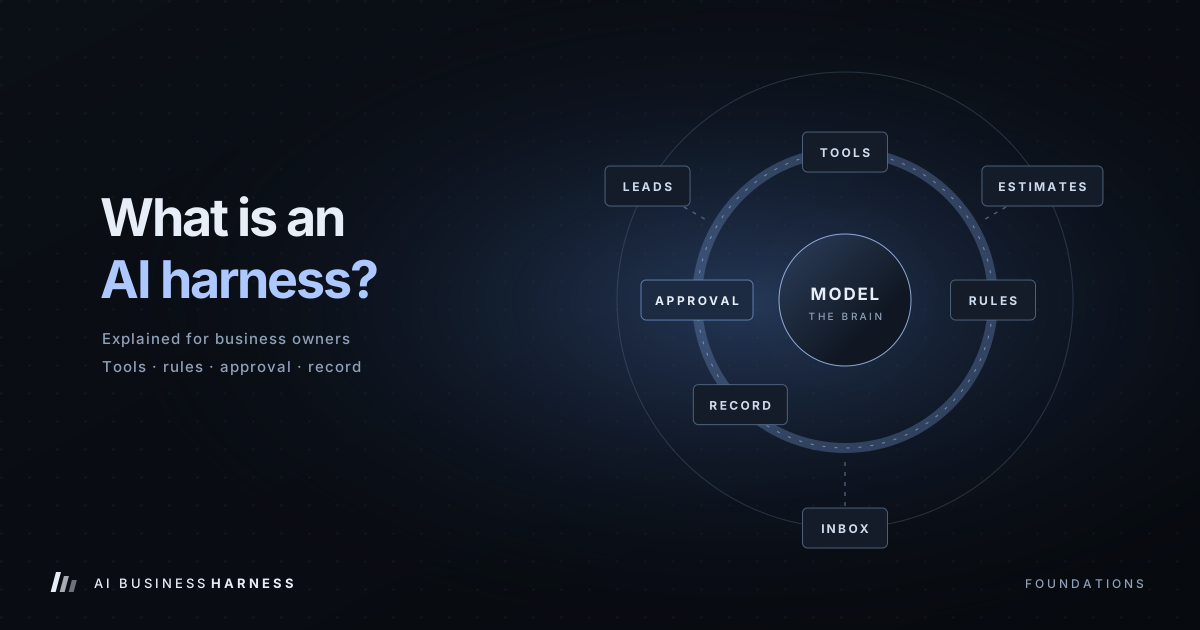
An AI business harness is the operating layer around any model: the scoped connections, permissions, approval gates, verification, recovery, duplicate protection and records that let AI do real business work without acting as an unsupervised employee. The model generates and chooses steps. The harness decides what is allowed, what needs a person, and what gets written down.
The agent product covers part of that layer. This guide shows which part, what you still have to design yourself, and how to start without overtrusting it.
The short answer
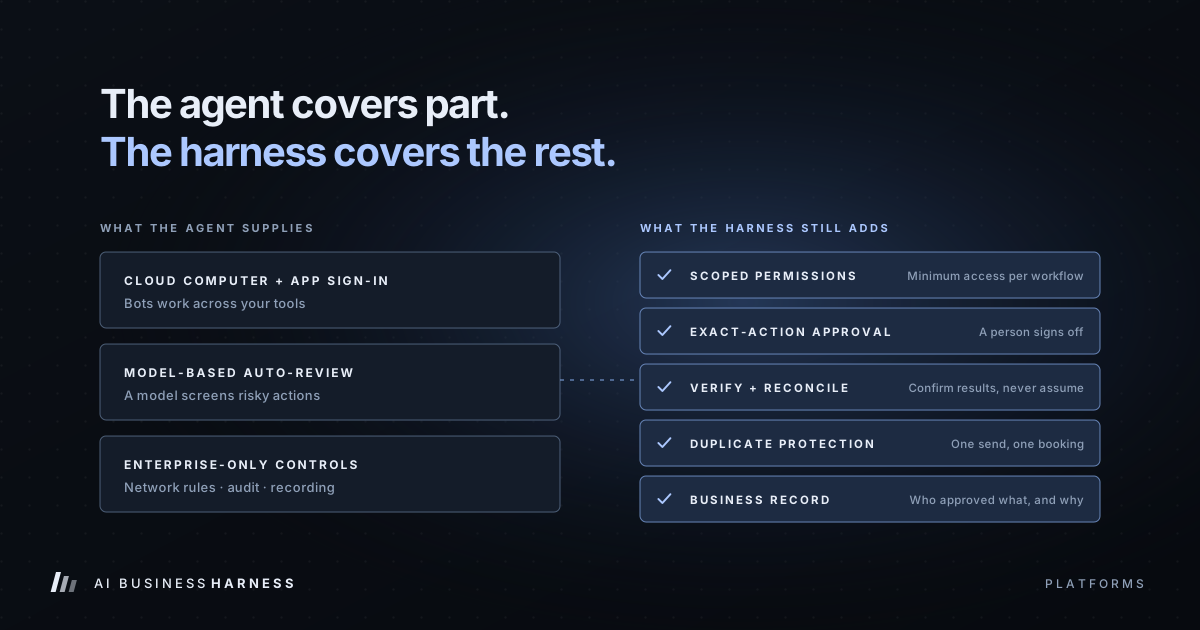
- The agent product supplies: a persistent cloud computer, sign-in to the apps you connect, approval prompts, a model-based review step called automatic review, and (often only on the highest-tier plan) network, audit and action-recording controls.
- The harness still adds: minimum permissions per workflow, a human approving the exact customer-facing action, checks that the action actually worked, protection against doing it twice, and a business record of who approved what.
- The rule stays the same whatever the model: AI prepares, people approve what matters, and every important step is verifiable.
Prefer to have it built for you? AI Business Harness is a managed service that builds and runs workflows like this on the software you already use, with human approval on important actions. Book a 20-minute Fit Call, or talk to the live voice demo to hear our AI front desk first.
Two ways to use one AI provider in a business
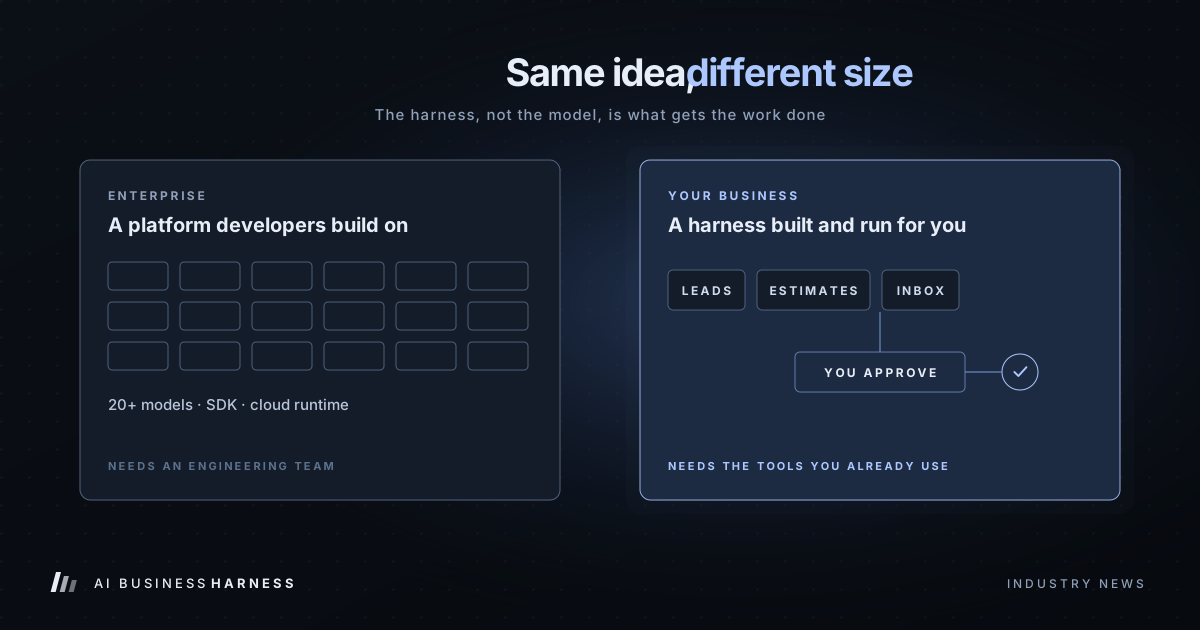
The model API. You call the model from your own code and give it a short list of tools. Your code, not the model, enforces permissions, approvals and logging. This is the most controllable path and fits workflows with clean APIs, like a CRM or a scheduling system. (See how to connect AI to existing business software.)
The managed agent product. A hosted agent. Each user account often has one persistent cloud computer that the user's agents share; those agents sign into websites and apps the way a person would, run scheduled routines, and keep working after you close your laptop. It's useful when a tool has no API, which is the trade-off covered in browser automation versus API integrations.
Either way, the model is the reasoning layer. The harness is what you build around it.
What the agent product already covers
Here's how the agent product maps to the nine components of a business harness, based on published product documentation as of October 2026:
| Harness component | Agent product | What that means for you |
|---|---|---|
| Connections | Built in | agents sign into the apps you connect, including ones without an API |
| Permissions | Partly | A agent acts as the signed-in account; you still decide which accounts and how much access |
| State and memory | Partly | agents share one cloud computer per user; separate clients need separate setups |
| Validation and rules | You add | Business rules (is the estimate still open?) are yours to define |
| Human approval | Partly | Approval prompts exist; automatic review is a model, not a person |
| Recovery | You add | Timeouts and uncertain results need a defined response |
| Duplicate protection | You add | Nothing stops the same email going out twice unless you design for it |
| Audit | Highest-tier plans often | Audit logs and action recording are often limited to the highest-tier plan |
| Orchestration | Partly | Routines and agent-to-agent handoffs help sequence the work |
Three details that change how you set it up
1. automatic review is a model, not a human approval
When a agent wants to take a sensitive action, the product can ask you to approve it once, always allow it, or deny it. Separately, automatic review uses a review model to screen shell commands, app calls, computer use, automation writes and delegation, and can let an action proceed, require approval or block it.
That's a useful safety net. Published documentation typically describes this automatic review as model-based and says it should complement other controls, not replace them. Outside the highest-tier plans, a team member can often switch it off. For customer-facing actions such as a quote, a booking or an email, keep a person approving the exact action before it runs.
2. The strongest controls are often limited to the highest-tier plan
Network controls (limiting which sites an agent can reach), enforced automatic review, team review rules, audit logs and action recording are often limited to the provider's highest-tier plan. On mid-tier or self-serve team plans, you may not get them. On some team plans, the agent is switched on for every member by default, and a team without a network policy may allow all network access.
If you're a small business on a mid-tier or self-serve team plan, plan to supply these controls in your workflow design rather than assuming the product provides them.
3. Audit logs don't always show what the agent did
On the highest-tier plans, audit logs often cover admin, security and sign-in events, plus control-plane events such as creating an agent or changing access. What a agent actually did inside your tools is captured by a separate setting, action recording, which is off by default, keeps 90 days of history, and doesn't appear on the Audit Log page.
Even with both turned on, those are product records. A business still needs its own record of the decision: which customer, which estimate, what was drafted, who approved it and whether it was delivered. That's what an AI activity log is for.
What the harness still has to add
Whatever plan you're on, these stay your responsibility:
- Scoped permissions. Sign each agent into only the accounts its job needs, with the least access that works. A follow-up agent needs the estimates list and a drafts folder, not your bank account.
- Exact-action approval. A person approves the specific message, recipient and timing. If any of those change, it goes back for approval.
- Verification and reconciliation. After an action, check the other system: did the booking actually save? If the result is uncertain, mark it uncertain and check before retrying.
- Duplicate protection. Track what has already been sent or booked so a retry doesn't create a second email or a double booking.
- A business record. Log the trigger, the data used, the decision, the approver and the verified result, kept for as long as your business needs it.
- Client separation. If you run agents for more than one business, keep their accounts, credentials, memory and logs apart.
An example: estimate follow-up with a managed agent
Illustrative only; actual behavior depends on your tools and testing.
A plumbing company sends estimates through its job software, and quotes older than five days often go unanswered.
- A scheduled agent routine opens the estimates list each morning and finds open quotes older than five days.
- It checks each one is still open and hasn't already been followed up.
- It drafts a short follow-up for each and puts the drafts in a review queue. It does not send anything.
- The office manager approves, edits or rejects each exact draft.
- Approved messages are sent, the job record is checked to confirm the send, and the outcome is logged.
The agent does the clicking and drafting. The harness decides what counts as "open," who approves, how sends are confirmed and what gets recorded. The same design works with this model, another model or a mix. For more on this workflow, see AI estimate follow-up.
What it costs
- The agent product is often bundled into a paid subscription tier rather than billed as a separate line item. Entry-level plans frequently don't include it. Check the provider's current plans before you budget.
- The model API is typically billed per token, with built-in tools such as web search or code execution billed per call on top. Rates change often; check the provider's current pricing.
- Designing and running the harness is separate work. It's the part that decides whether the workflow is safe to use with customers.
Prices change often; check the provider's current pricing before you budget.
Should you standardize on one AI provider?
Use it where it fits the workflow. Its strengths are competitive API pricing, a ready-made agent with a cloud computer that can work inside tools without APIs, and stronger controls on higher-tier plans for larger teams.
Don't make the model choice the safety plan. Keep the harness rules the same no matter which model is underneath, so you can switch or mix models later without redesigning how approvals, verification and records work. (If the terms are still fuzzy, start with AI model vs. agent vs. harness.)
Related industry guides
- Estimate Follow-Up Software for Contractors: Automate Quote Follow-Ups Without Losing Control: following up on quotes and estimates, with every message approved first.
- After-Hours AI Answering for HVAC and Plumbing: What It Should Say at 2 a.m.: after-hours calls, emergencies first, and dispatch without promises.
- AI Receptionist for Property Management: Maintenance Calls, Showings and Fair Housing: maintenance emergencies, tenant calls and owner questions.
Frequently asked questions
Is a managed agent product an AI business harness?
Partly. It supplies connections, a cloud computer, approval prompts, model-based automatic review and, on some highest-tier plans, network and audit controls. Scoped permissions, exact-action human approval, verification, duplicate protection and a business record still have to be designed and managed.
Does the agent's automatic review count as human approval?
No. automatic review is a review model that screens risky actions. It's a useful safety layer, but customer-facing actions should still go to a person who approves the exact action.
Which plan includes audit logs?
Audit logs, action recording, network controls and enforced automatic review are often limited to the provider's highest-tier plan. Mid-tier and self-serve team plans may not include them. Check current plan documentation.
Can I use the same harness with any AI model?
Yes. A harness is model-agnostic. The permissions, approval gates, verification and records stay the same, and the model underneath can change.
Start with one workflow
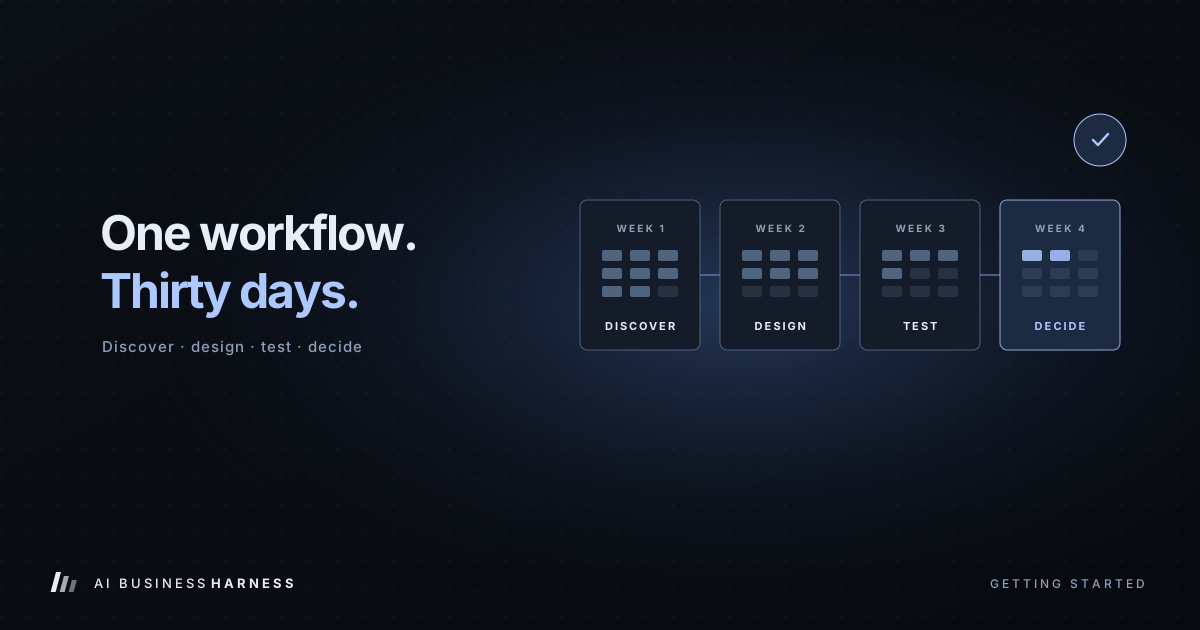
Pick one repeated task, define the finish line, measure how it runs today, and keep customer-facing actions under review while you test. The 30-Day Installation lays out the steps week by week.
Product features and prices change; check the provider's current documentation before you budget. This article describes patterns common to hosted agent products as of late 2026, not a single named vendor.