Foundations
What Is an AI Harness? A Plain-English Guide for Small Business Owners
"AI harness" is suddenly everywhere, and almost every explanation is written for engineers. Here's what it means for a small business, in plain English.
If you've read anything about AI lately, you've probably run into the word harness. Microsoft announced its Copilot harness on October 28. Developer tools use the word. Software companies use it. Someone may have even tried to sell you one.
Almost every explanation out there is written for engineers. This one is for the person who owns the business, answers the phones when things get busy, and wants to know one thing: does this matter to me?
The short answer
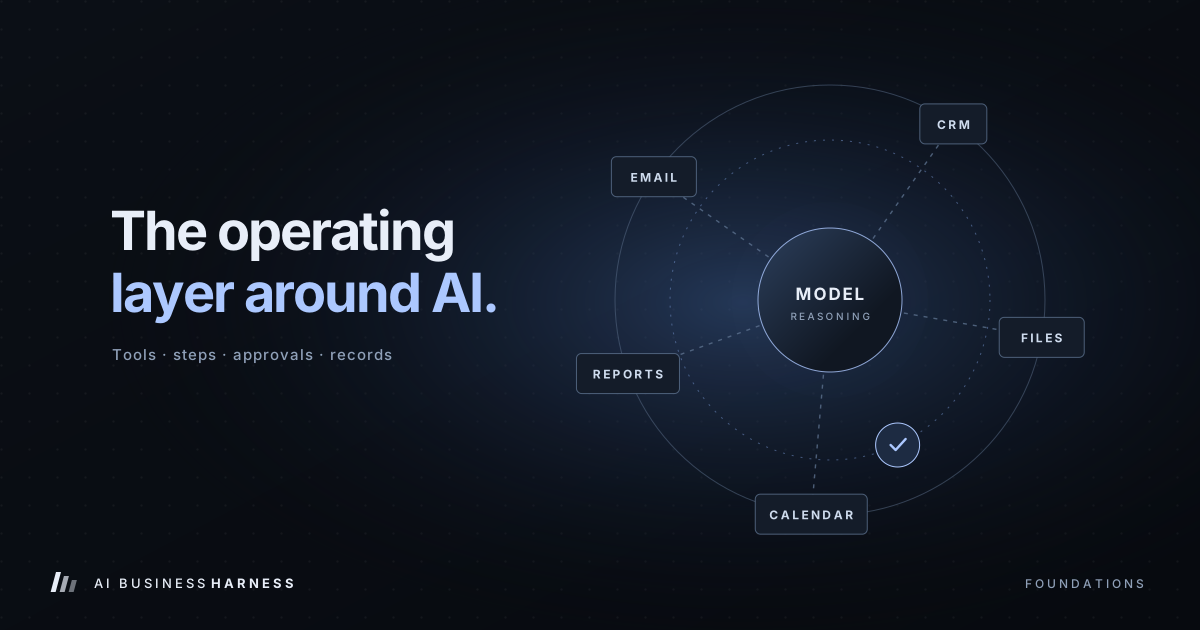
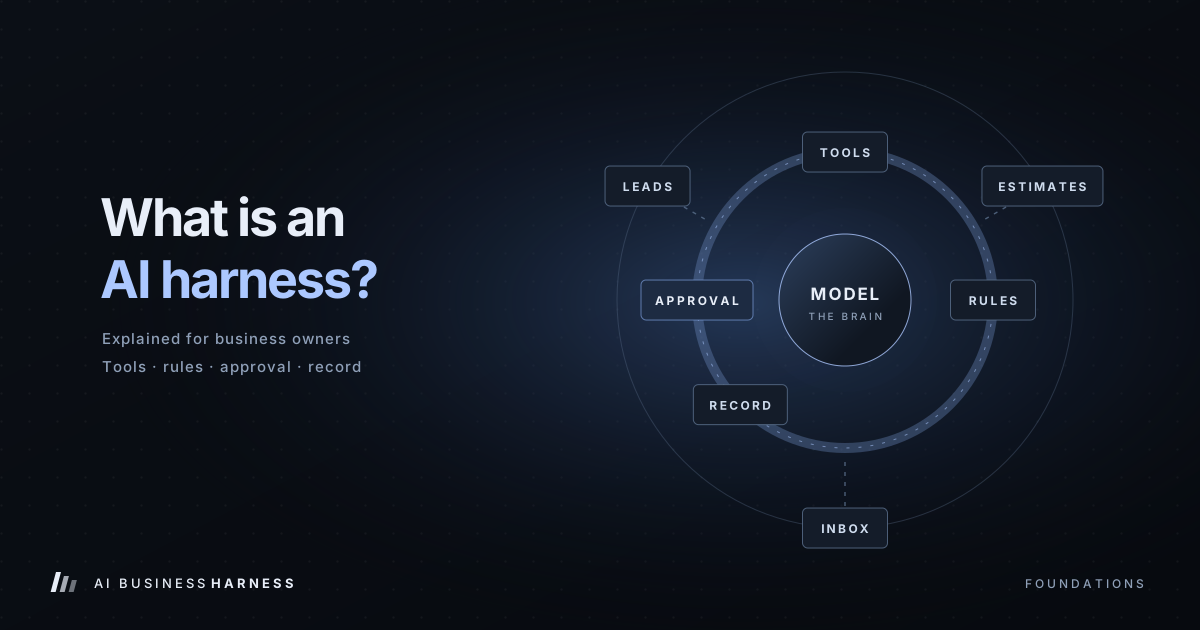
An AI harness is the control layer around an AI model that lets it do real work safely. It decides which of your tools the AI can use, walks it through the steps of a job, stops for a person when a decision matters, checks that each step actually worked, and keeps a record of everything that happened.
The AI model is the brain. The harness is everything that makes the brain useful, and safe, inside a real business.
Want the deeper version? Our complete guide covers harness components, use cases and how a 30-Day Installation works.
Read the AI business harness guide →Why "just use AI" isn't enough
Today's leading AI chat assistants are remarkable at writing, summarizing and answering questions. But a chat window can't follow up on last week's estimates. It doesn't know which customers already got a call. It can't update your CRM, and it shouldn't be emailing customers on its own.
The next step people reach for is an AI agent: an AI that can take actions, not just write text. That's where things get risky. An agent with broad access and no structure is like handing a brand-new employee the keys to every system on day one, with no job description and no manager.
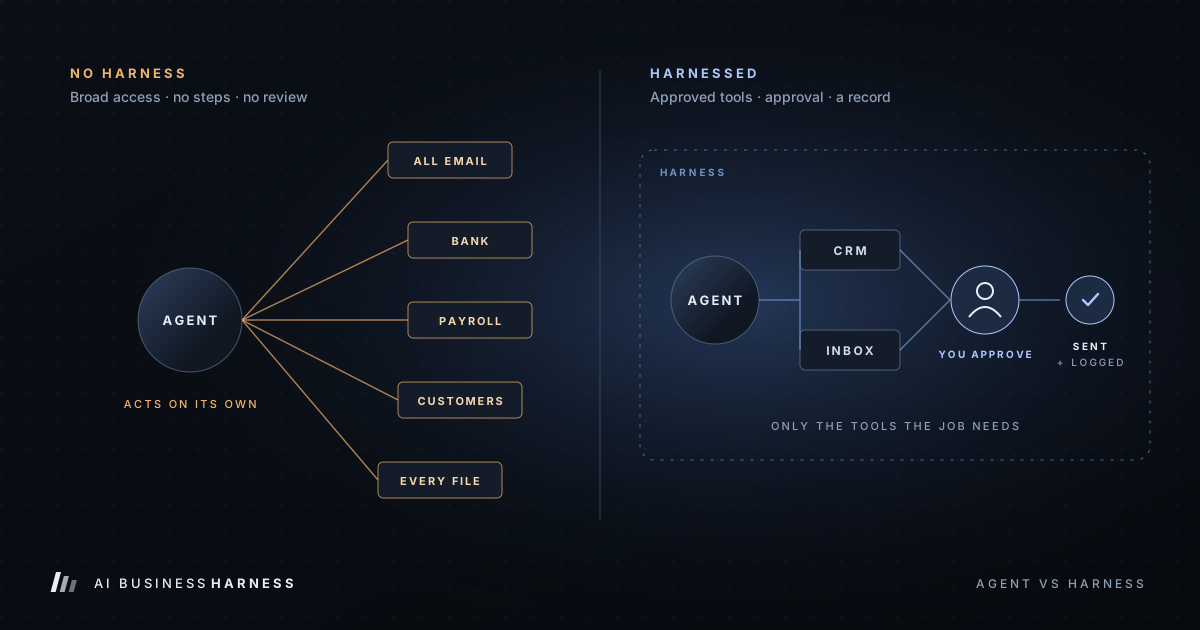
Here's the difference in practice:
| Agent with no harness | Agent inside a harness | |
|---|---|---|
| Access | Whatever it's given, often too much | Only the tools the job needs |
| Steps | Improvised every time | A defined sequence, the same every time |
| Customer-facing messages | Can send on its own | Drafted, then approved by a person |
| Mistakes | Can turn into real actions quietly | Caught by checks and approval gates |
| Records | Hard to tell what happened | Every action, approval and exception logged |
The AI model is the same in both columns. The harness is what changes the outcome.
What's inside a harness
You don't need to know how to build one, but it helps to know the parts so you can judge whether someone else built one well:
- Approved tool access. The AI reaches your inbox, CRM, spreadsheet or calendar, and only those it needs. An estimate follow-up doesn't need payroll.
- A defined workflow. The job is broken into clear steps, so the AI isn't guessing what comes next.
- Rules and approvals. What the AI may do alone, what needs a human "yes," and what it may never do.
- Verification. Checks that a draft actually saved or a record actually changed, instead of trusting "done."
- A record. A log of what the AI saw, decided and did, and who approved it.
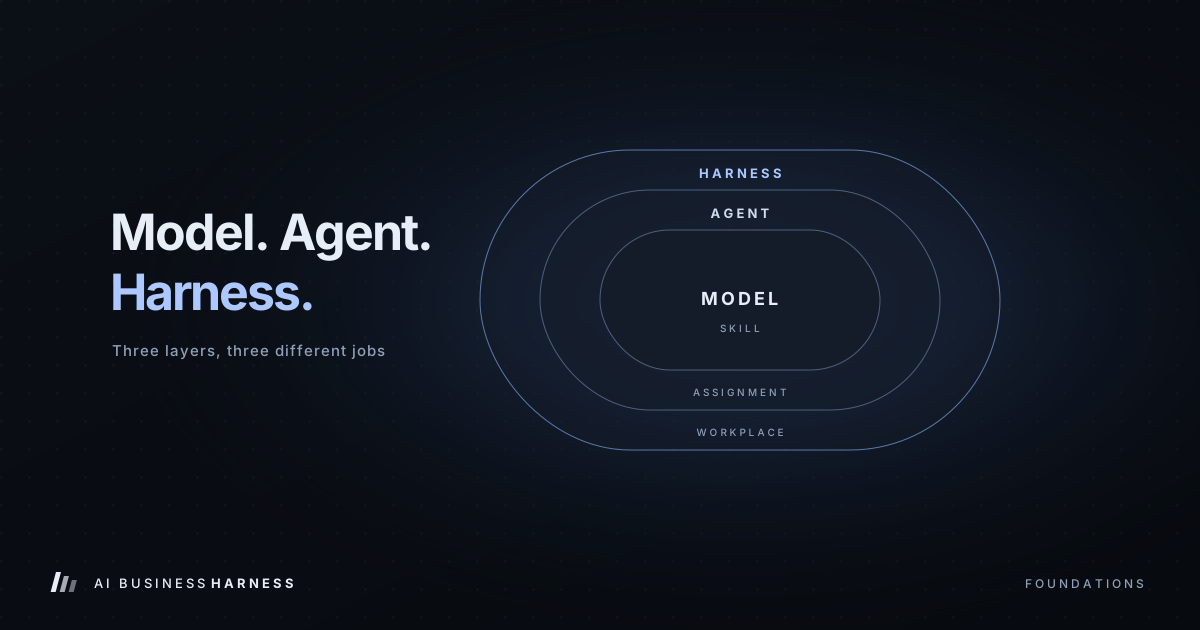
We go deeper on each part in What Is an AI Business Harness? and on the difference between models, agents and harnesses in AI Model vs. AI Agent vs. AI Harness.
Three different things called "harness"
Part of the confusion is that the same word is being used for very different products. If you're researching, it helps to know which one you're looking at.
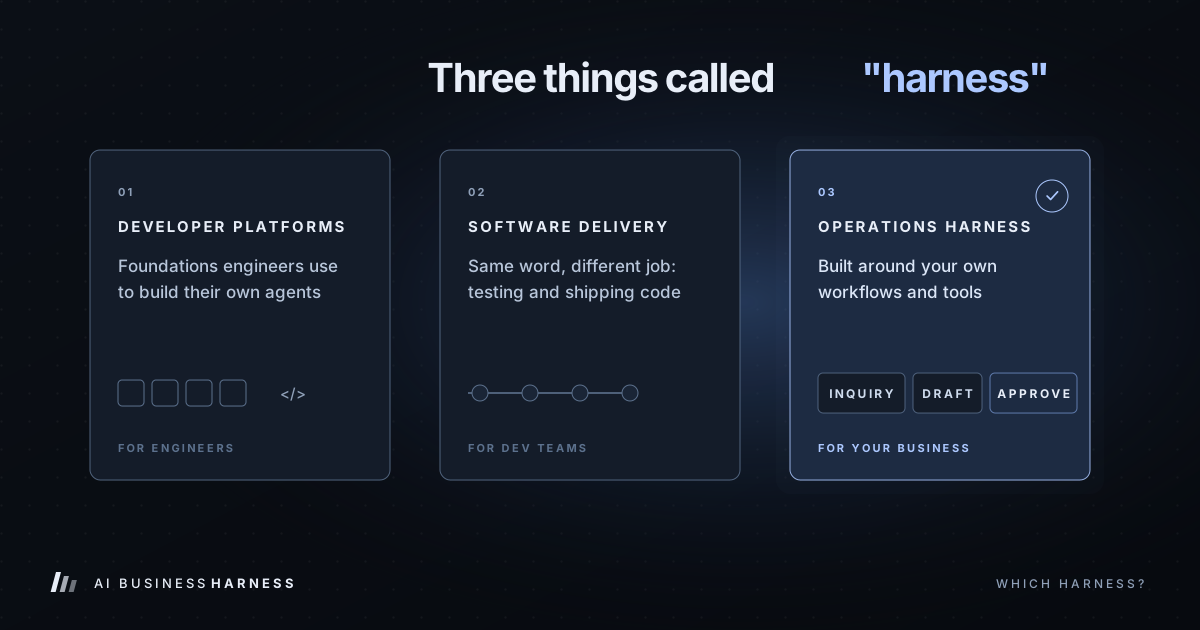
1. Developer platforms. Microsoft's new Copilot harness is the biggest recent example. It's a foundation that engineering teams use to build their own AI agents, with Microsoft running the underlying agent loop. It's powerful, but it's a building material, not a finished system. You'd still need someone to design and build your workflows on top of it.
2. Software delivery tools. Harness is also the name of an established software company whose platform helps engineering teams test and ship code. Same word, different industry. It isn't built to run a service business's daily operations.
3. Operations harnesses for your business. This is the version that matters to most owners: a harness built around your specific workflows, such as new inquiries, estimate follow-ups, appointment requests and record updates, using the tools you already have, with your team approving anything a customer will see.
You'll also find marketing tools sold under similar names that manage listings, reviews or search presence. Those can be useful, but they do a different job. An operations harness is about how work moves through your business, not how you show up online.
Signs your business is ready for one
An AI harness earns its keep when the same work keeps repeating and keeps slipping. You're probably a good fit if:
- The same task happens every day or every week, such as follow-ups, intake, scheduling or data entry
- Leads or estimates go cold because nobody had time to follow up
- Someone on your team spends hours copying information between tools
- You already use an inbox, CRM, spreadsheet or booking tool the work runs through
- You can describe what "done right" looks like for the task
You're probably not ready yet if the task changes completely every time, if nobody can explain how it's done today, or if the real problem is that you don't have a process at all. A harness makes a good process faster. It can't invent one.
Build it, buy it, or have it built
You have three realistic options:
- Do it yourself. Connect an AI tool to an automation app like Zapier or Make. This is cheap and works for simple, low-risk tasks. It gets fragile once you need approvals, error handling and logs.
- Build on a developer platform. Use something like Microsoft's harness or an open-source framework. This is very flexible, but it needs an engineer to build and maintain.
- Have it built and managed. A specialist designs the workflow around your tools, builds in human approval, tests it on sample data and maintains it. This costs more up front, but you get a working system instead of a project.
At AI Business Harness, we start with a 30-Day Installation on one bottleneck. A full installation of up to two human-approved workflows starts at $5,000. Our ongoing AI Operations Partner service starts at $5,000 a month for businesses that want continuous monitoring and new workflows over time. We measure your current baseline first, so the return isn't a guess.
Six questions to ask anyone selling you an AI harness
Whoever you work with, these questions separate a real system from a demo:
- What exactly can it access, and what can't it? You want a short, specific list.
- What needs my approval before it happens? Anything a customer sees should be on that list at the start.
- What happens when something goes wrong? Look for named stop conditions and alerts, not "it handles it."
- Can I see a log of what it did last Tuesday? If not, you can't manage it.
- Does it work with the tools I already use? You shouldn't have to replace your CRM to get started.
- How will we measure whether it worked? Time saved, response speed or recovered leads, compared against today.
How to start
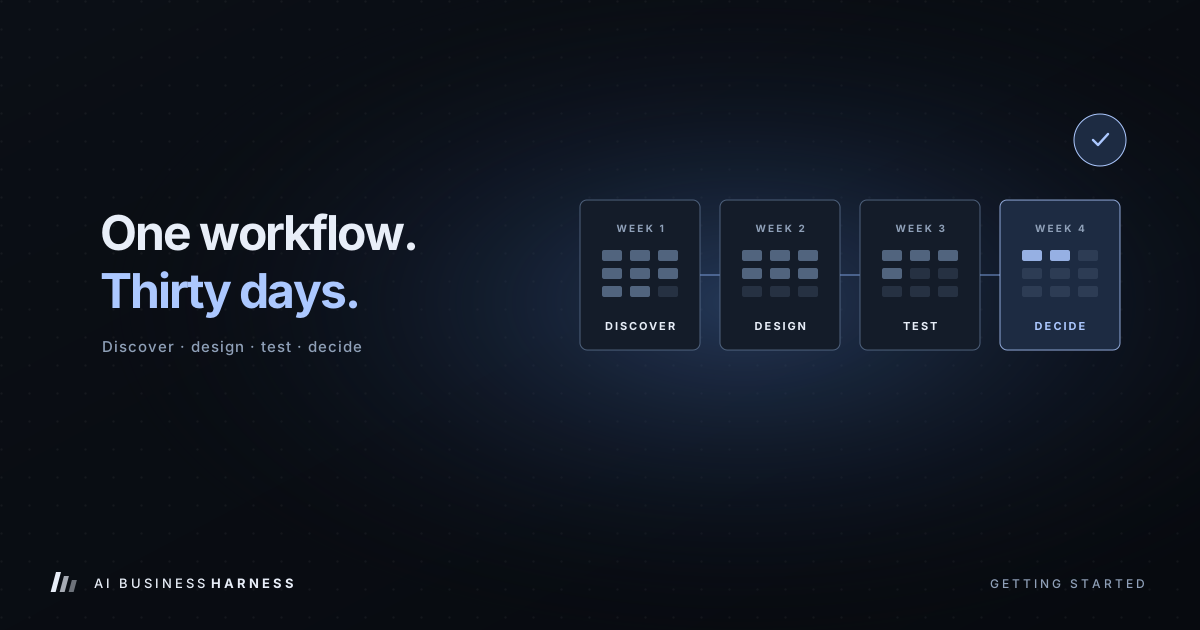
Pick one task that's costing you time or money right now. Write down how it works today and how long it takes. Then run a small, controlled test on sample data before anything touches a real customer. Our 30-Day Installation lays out that process week by week, and How to Find the Right Business Workflow to Automate First helps you choose the task.
The businesses that get the most from AI over the next few years won't be the ones with the most tools. They'll be the ones whose AI runs inside clear limits, with a person in charge.
Frequently asked questions
Is an AI harness the same thing as an AI agent?
No. An agent is AI that can take actions. A harness is the structure around the agent: its permissions, steps, approvals, checks and records. The same agent can be safe or risky depending on the harness around it.
Do I need a developer to use an AI harness?
Not if you work with someone who builds and manages it for you. Developer platforms like Microsoft's Copilot harness are made for engineers. A managed operations harness is designed so your team only reviews, approves and uses the work.
Will an AI harness replace my staff?
That isn't the goal. A harness takes over the repetitive parts of a job, such as gathering information, drafting messages and updating records, so your people spend their time on the calls and decisions that need judgment.
Is an AI harness just a fancy Zapier?
Automation apps move data from one tool to another when a trigger fires. A harness adds AI reasoning plus the controls that reasoning needs: approvals, verification, stop conditions and a full record of decisions. Many harnesses use automation tools as one of their parts.
How long does it take to set one up?
The 30-Day Installation focuses on one or two workflows over about 30 days, including discovery, design, testing on sample data and a go or no-go decision. Ongoing management follows only if the Installation shows it's worth it.
Is my business data safe with an AI harness?
Safety comes from how it's built. Give the AI access only to the tools a workflow needs, keep people approving customer-facing actions, and log every step. Ask any provider to show you exactly where your data goes and who can see it.
Sources: Microsoft: Introducing the Microsoft Copilot harness, Microsoft Learn: Agent Harness, Databricks: What Is an AI Agent Harness?