Workflows
AI Estimate Follow-Up: How Service Businesses Stop Losing Quoted Jobs
Every service business has estimates that went out and were never chased. A simple AI-assisted follow-up workflow can catch them, without turning you into a spammer.
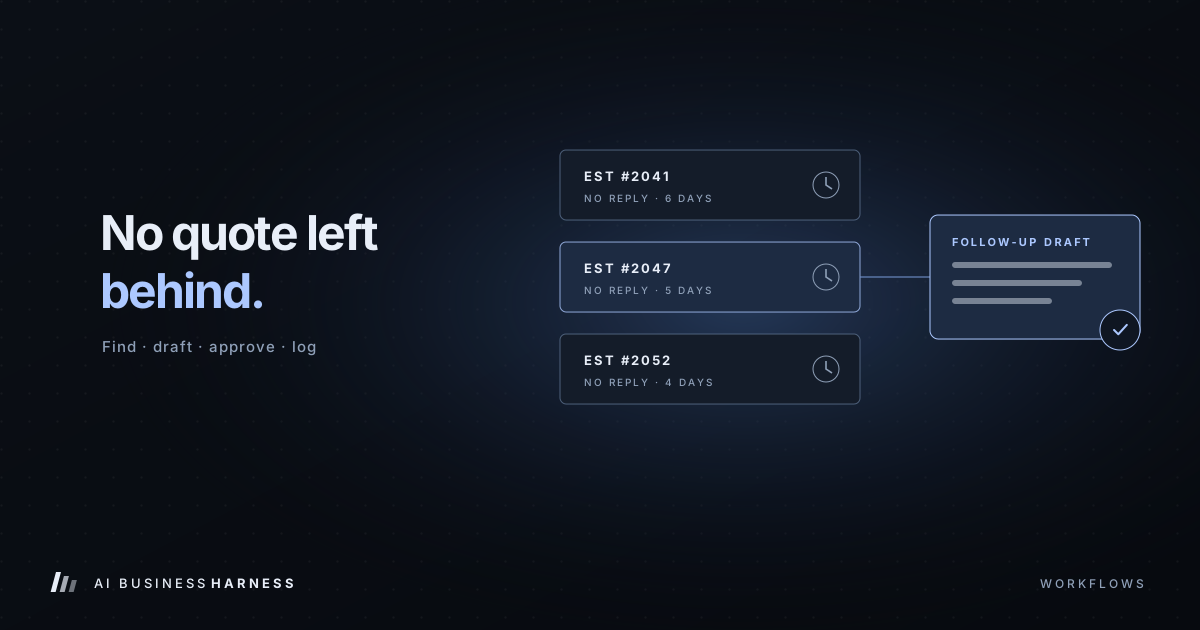
AI estimate follow-up means a workflow finds quotes that went out and were never chased, drafts a short personal check-in for each one, and holds it until you approve it. If you're comparing estimate follow-up software, the software matters less than this process; our estimate follow-up software guide for contractors compares the options.
Every service business knows this pattern. The estimate goes out. The customer says "let me think about it." Then the week gets busy, nobody follows up, and three weeks later the customer has hired someone else.
The job wasn't lost on price or quality. It was lost to silence.
Estimate follow-up is one of the best first workflows to automate: it's repetitive, it follows a pattern, missed instances cost real money, and it's easy to keep a person in control.
Prefer to have it built for you? AI Business Harness is a managed service that builds and runs workflows like this on the software you already use, with human approval on important actions. Book a 20-minute Fit Call, or talk to the live voice demo to hear our AI front desk first.
Why follow-up slips
It's rarely laziness. It's structure:
- Estimates live in one system, emails in another, notes in someone's head.
- Nobody owns the job of "check every open quote."
- Writing a personal check-in takes a few minutes. Fifteen of them feels like an afternoon.
- It's awkward to know what to say on the second or third follow-up.
AI is well suited to the last two. Rules and a good workflow solve the first two.
The workflow, step by step
1. Find open estimates
A simple rule does this, no AI needed: estimates sent more than a set number of days ago (say, four or five) with no acceptance, no decline and no recent contact.
2. Gather context
For each one, pull together what a good follow-up needs: the customer's name, the job, the amount, when it was sent, any notes or questions from the original conversation, and how many times you've already followed up.
3. Decide the next action
Not every quote needs the same nudge. A first follow-up might be a friendly check-in. A second might offer to answer questions or adjust scope. After a third with no response, the right move might be to mark it lost and stop. A clear rule set keeps this consistent.
4. Draft the message
This is where AI earns its place: a short, personal note that references the specific job and sounds like you, not a template. "Hi Dana, just checking in on the bathroom fan replacement we quoted last week. Happy to walk through options if the timing isn't right yet."
5. Route for approval
Drafts go to a review queue or your email drafts folder. Someone glances at each one, edits if needed, and approves. A batch of ten takes a few minutes instead of an hour.
6. Send, log and schedule the next step
Approved messages go out, the CRM is updated, and the next check-in date is set automatically.
7. Report
A weekly summary: how many open estimates, how many followed up, how many responded, how many converted, and any exceptions, like bounced emails or missing contact details.
Example: quote follow-ups for a local moving company
This is an illustrative example, not a client result. A local mover sends estimates all week, and many customers are comparing a few movers before they pick a date. Here's how the seven steps above apply:
- Find and gather: each morning the workflow lists estimates with no reply and no booking, along with the planned move date and any notes, such as a question about packing or storage.
- Decide: quotes with a move date coming up soon are checked first; quotes whose move date has passed, or where the customer said they booked another mover, are closed instead of chased.
- Draft: "Hi [first name], it's [your name] from [moving company]. Checking in on the estimate for your move on [move date]. Happy to answer any questions about packing, timing or what's included."
- Approve: the office manager approves, edits or skips each draft. Price changes and date changes always go to a person.
- Send, log and report: approved messages go out from the mover's own email or text line (texts only to customers who agreed to receive them), and the weekly summary shows which quotes were followed up and which replied.
Guardrails that matter
No automatic discounts. The AI should never offer a lower price or new terms. That's a human decision every time.
Respect "no." If a customer declines or asks not to be contacted, the workflow must stop for that estimate immediately.
Cap the sequence. Two or three follow-ups is persistence. Seven is spam.
Don't follow up on the wrong things. Exclude estimates already accepted, scheduled, or handled by phone, which means the workflow needs to check, not assume.
Keep humans on anything unusual. A customer complaint, a question the AI can't confidently answer, or missing data goes to an exception list rather than getting a guessed reply.
What to measure
Before you start, capture a baseline for a few weeks:
- How many estimates go out per week
- What share get at least one follow-up
- Average days from estimate to first follow-up
- Close rate on estimates
After the workflow runs for a month or two, compare. The first number to move is usually follow-up coverage. Whether that moves your close rate depends on your market and your pricing, which is exactly why you measure instead of assuming.
Related industry guides
- Estimate Follow-Up Software for Contractors: Automate Quote Follow-Ups Without Losing Control: following up on quotes and estimates, with every message approved first.
- After-Hours AI Answering for HVAC and Plumbing: What It Should Say at 2 a.m.: after-hours calls, emergencies first, and dispatch without promises.
- AI Inquiry Handling for Home Builders and Remodelers: Sales Leads and Warranty Requests: sales inquiries and warranty requests, sorted and documented.
Frequently asked questions
Can AI follow up on estimates automatically?
It can find open estimates, gather the context and draft a personal check-in for each one. In the workflow described here, a person approves each message before it is sent.
How many times should you follow up on an estimate?
Two or three follow-ups is persistence; seven is spam. After a third with no response, the right move may be to mark the estimate lost and stop.
Will the AI offer discounts to close a quote?
No. Lower prices and new terms are a human decision every time, so the workflow never offers them.
What should you measure?
Before you start, capture a few weeks of baseline: estimates sent per week, the share that get at least one follow-up, average days to the first follow-up, and close rate. Compare after the workflow has run for a month or two.
The bigger point
Estimate follow-up isn't glamorous, but it's a perfect example of what AI is genuinely good at in a small business: noticing what fell through the cracks, preparing the boring part, and handing a person something ready to approve.
Want to see it in action? The interactive demo on our homepage walks through a fictional estimate queue using this exact approve-or-flag process.