Workflows
Estimate Follow-Up Software for Contractors: Automate Quote Follow-Ups Without Losing Control
Quotes rarely go cold because of price. They go cold because nobody followed up. Here's how to automate estimate follow-up on the tools you already use, with you approving every message.

You drove out, measured, priced the job and sent the estimate. The customer said, "Let me think about it." Then the week got busy.
Three weeks later you find out they hired someone else, often not because the other quote was better, but because the other contractor called back.
That gap is what people mean when they search for estimate follow-up software. This guide covers what actually closes it for plumbers, roofers, HVAC companies and electricians, and how to do it without handing your customer relationships to a robot.
The short answer
You probably don't need another app. You need a follow-up workflow connected to wherever your estimates already live: your estimating tool, CRM, spreadsheet or sent mail. It should find every open quote, draft a personal follow-up at the right time, and hold each message for your approval before it goes out. When the customer replies, books or says no, the sequence stops.
Why quotes go cold
It's rarely laziness. It's structure:
- Estimates live in one place, conversations in another. The quote is in your estimating software, the customer's questions are in your texts, and the notes are in your head.
- Nobody owns "check every open quote." The owner is on jobs, the office is answering phones, and follow-up is everyone's job, so it's no one's.
- Personal follow-ups take time. A good check-in references the job and answers the likely question. Writing a dozen of those at night doesn't happen.
- It feels pushy. Many owners skip follow-up because they don't want to nag. A well-timed, useful message doesn't feel like nagging to the customer.
For more on the mechanics, see our earlier guide to AI estimate follow-up workflows.
Your options for estimate follow-up software
- Features inside your current tools. Some field service and estimating platforms include automated reminders. If yours does, check it first. The usual limits are generic templates and messages that send without anyone looking at them.
- DIY automation. Integration platforms like Zapier, Make or n8n can watch for new estimates and trigger messages, with approval steps if you build them. You own the setup and maintenance.
- A done-for-you workflow on your existing tools. Someone connects to your estimating tool, CRM or inbox, builds the sequence with your approval built in, tests it and hands it over. That's what AI Business Harness does as a managed AI operations service for contractors and home service businesses across Arizona and Oregon.
An approved follow-up sequence
Here's an example sequence. Adjust the timing to your trade and how long your customers usually take to decide:
| When | What the AI drafts | Your role |
|---|---|---|
| A couple of days after the estimate | A short check-in that names the job and asks whether they have questions about the scope or options. | Approve, edit or skip. |
| About a week later | A helpful note answering the most common question for that job type, with an offer to walk through it by phone. | Approve, edit or skip. |
| About two weeks later | A polite last touch that closes the loop: "Should I keep this open or close it out?" | Approve, edit or skip. |
| Any time | Stop rules: the sequence ends on a reply, a booking, a "no thanks" or a won job, and replies go straight to you. | Take it from there. |
An example of a first check-in the AI might draft for your approval:
Hi [first name], it's [your name] from [company]. Just checking in on the estimate for the [job, e.g. water heater replacement] we sent over on [day]. Happy to answer any questions about the options or timing. Just reply here or call me at [phone].
Every bracket is filled from your own estimate data, and you see the finished message before it goes anywhere.
What it looks like by trade
- Plumbers: follow-ups on repair-or-replace decisions, like water heaters, repiping or sewer lines, where customers often need a second conversation about options.
- Roofers: homeowners often compare several bids and may be waiting on an insurance decision, so follow-ups ask where things stand instead of pushing.
- HVAC: replacement quotes with several system options generate questions. A follow-up that offers to explain the difference between options is useful, not pushy.
- Electricians: larger jobs like panel upgrades, EV chargers or generator wiring may involve scheduling questions, so the check-in offers to talk through timing.
- Movers: customers often collect several moving quotes and haven't fixed a date, so follow-ups confirm the move date and offer to answer questions about what's included.
Example (illustrative, not a client result): quote follow-ups for a local moving company. A local mover sends estimates after in-home or video walkthroughs. Each morning, the workflow finds estimates with no reply and no booking, checks the planned move date, and drafts a short check-in for each one:
Hi [first name], it's [your name] from [moving company]. Checking in on the estimate we sent for your move on [move date]. Happy to answer any questions about packing, timing or what's included. Just reply here or call me at [phone].
The office manager approves, edits or skips each draft before it goes out. If a customer asks for a lower price or a different date, the workflow doesn't answer; it flags the reply for a person. Once the move date has passed, or the customer says they've booked another mover, the quote is closed and logged, so nobody gets a follow-up they don't need.
Connecting to the tools you already use
The workflow is built around your current setup, not a new platform:
- Estimating software or CRM: connected through an official integration or export where one exists, so the workflow can see which estimates are open and when they were sent.
- Your inbox: if estimates go out by email, the workflow can find sent quotes and prepare follow-ups as drafts in your own email account, so replies land where you already work.
- A spreadsheet: perfectly fine as a starting point, if that's where you track quotes.
Access is kept to the minimum: read-only where possible, drafts instead of sends. More on the options in how to connect AI to your existing business software.
You approve before anything goes out
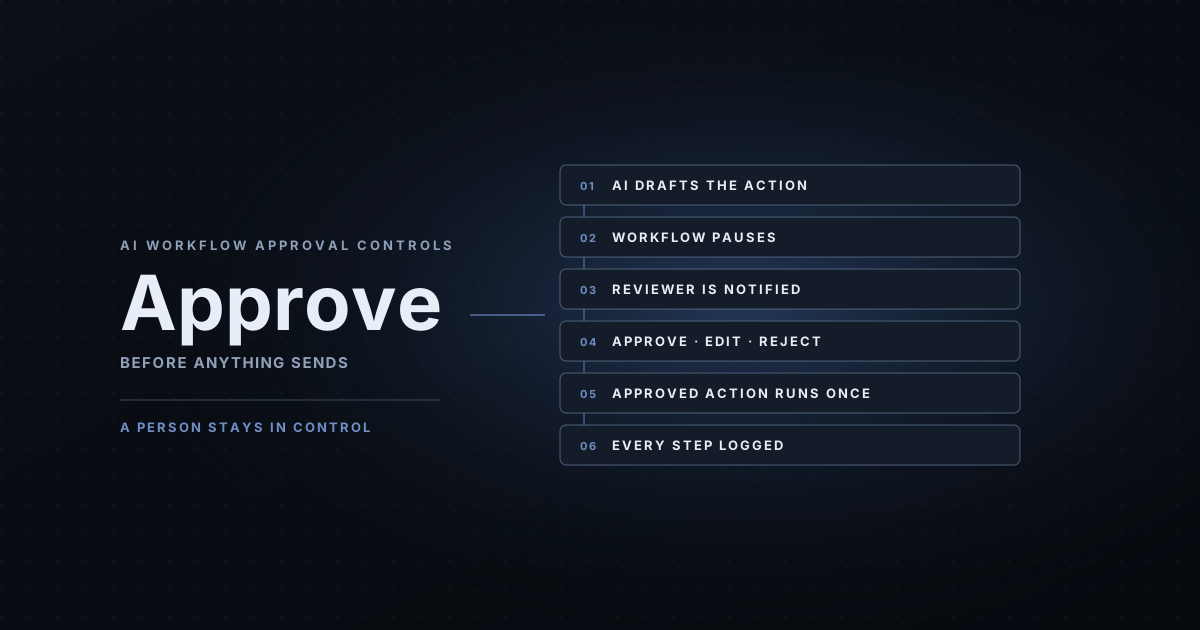
This is the part that matters most to owners. Each follow-up waits in a short approval queue showing the customer, the job, the estimate amount and the exact message. You approve, edit or skip, from your phone, in a couple of minutes a day. Only the approved version is sent, once, and every step is logged. Here's how AI workflow approval controls work in more detail.
Over time, the edits you make teach the workflow your voice and what you never want said. That's how you know when it's ready for more.
What to measure
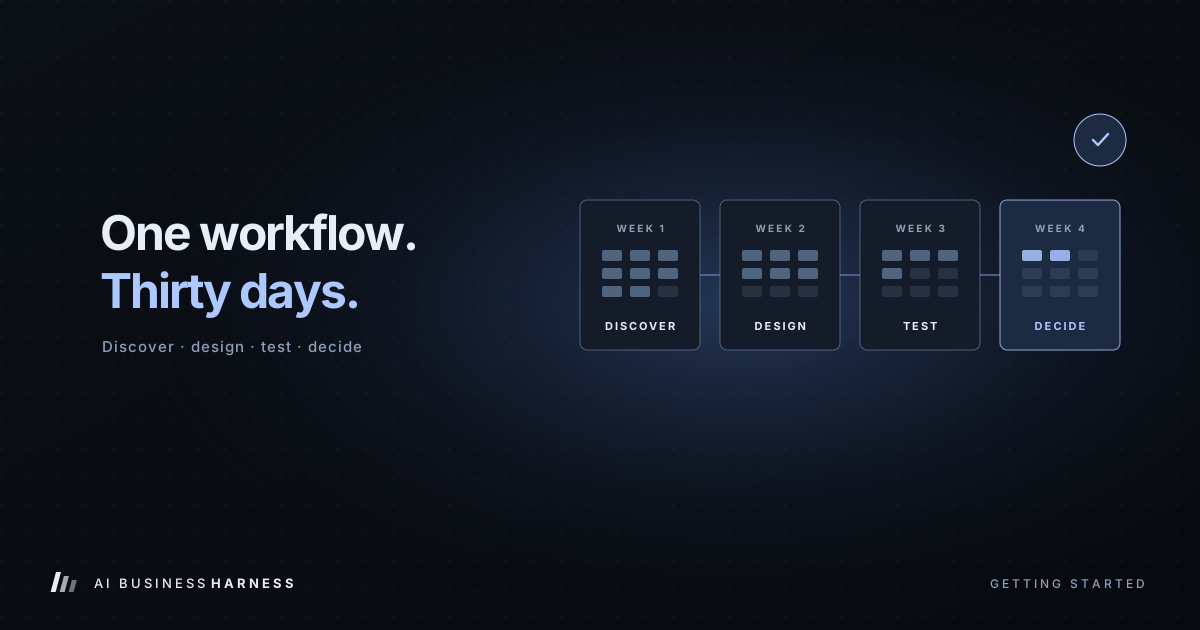
Before turning it on, record a baseline from your recent estimates: how many got any follow-up, how long it took, and how many turned into jobs. After 30 days, compare:
- Share of open estimates that got a follow-up
- Time from estimate to first follow-up
- Replies, booked jobs and "no thanks" answers (a clear no is useful too)
- How much editing the drafts needed, and how long approvals took you
What it costs
An 30-Day Installation starts at $5,000 one-time and covers up to two defined workflows, so estimate follow-up can be paired with a second workflow, such as replying to new inquiries. If you want it monitored and expanded over time, the AI Operations Partner starts at $5,000 per month on a 90-day starting term. See what the 30-Day Installation includes and what costs more.
Related industry guides
Quote follow-up starts with answering the first call. To hear how an AI front desk handles a caller asking about an estimate, talk to the live voice demo. Our free AI receptionist prompt for HVAC and plumbing, with 25 test calls, shows the structure we use for trades.
- After-Hours AI Answering for HVAC and Plumbing: What It Should Say at 2 a.m.: after-hours calls, emergencies first, and dispatch without promises.
- AI Inquiry Handling for Home Builders and Remodelers: Sales Leads and Warranty Requests: sales inquiries and warranty requests, sorted and documented.
Frequently asked questions
Do I need new estimate follow-up software?
Usually not. If your estimates already live in an estimating tool, CRM, spreadsheet or your sent mail, the follow-up workflow can be built around that. Some field service and estimating platforms also include their own reminder features, which are worth checking before you add anything.
Will it send messages to customers on its own?
Not unless you decide it should. In our setup, every customer-facing follow-up is drafted and held for your approval. You approve, edit or skip each one, and only the approved version goes out.
What happens when a customer replies?
The sequence stops for that estimate. The reply is flagged to you, along with a suggested response if you want one, and a person takes it from there.
Can follow-ups go out by text message?
They can, if your tools support it and the customer has agreed to be texted. Texting carries consent rules, so we decide the channels with you during scoping, and email is often the simplest place to start.
What does it cost?
An Installation starts at $5,000 one-time and covers up to two defined workflows, so estimate follow-up can be paired with a second workflow such as inquiry replies. Ongoing monitoring and improvement through the AI Operations Partner starts at $5,000 per month on a 90-day starting term. Every engagement is custom-scoped, and the price is confirmed before anything connects to your systems.
Find out if it's worth testing
If you have estimates going out every week and no reliable follow-up, book a 20-minute Fit Call. We'll look at where your estimates live today and tell you honestly whether an approved follow-up workflow is a fit.
Prices are starting prices as published on aibusinessharness.com in November 2026. Every engagement is custom-scoped, and the final price is confirmed in writing before work begins.