Safety and control
Human Approval in AI Workflows: What Should Stay Under Review?
Approval gates are one of the controls that make AI workflows safer to use with customers. The trick is putting them in the right places, so you keep control without becoming the bottleneck.

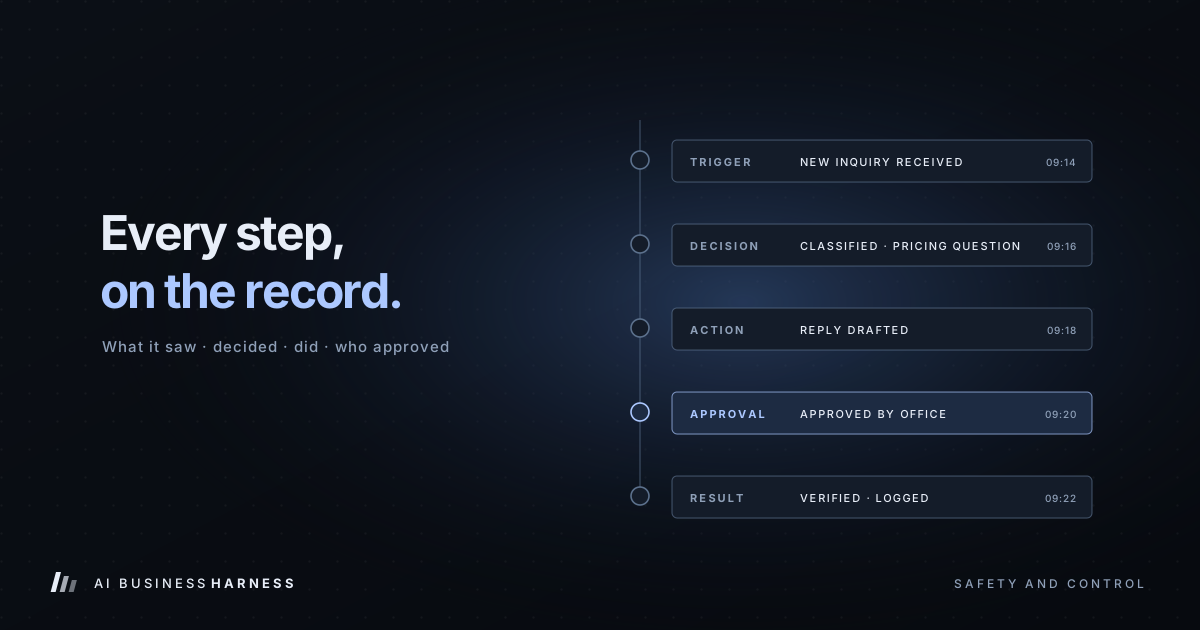
Human approval in AI workflows means the AI prepares an action, such as a reply, a quote update or a CRM change, and a person approves, edits or rejects it before it happens. Put it on anything a customer will see or that changes prices or important records, let low-risk internal steps run, and keep actions like refunds and deletions out of the workflow entirely. The challenge is placing it at the right points.
Require review for every tiny step, and the workflow becomes slow and frustrating. Remove review entirely, and a single wrong recipient, price or record update can create a much bigger problem.
The practical approach: put human approval where a mistake would be expensive, hard to reverse, or visible to someone outside the business, and avoid interrupting low-risk internal work.
Human approval is the core of how AI Business Harness works. Read what a managed AI business harness is and how it keeps people in control, or see the AI front desk pages by industry for what stays under review in law, accounting, dental and other offices. For the mechanics of building the pause itself, see our companion guide, how AI workflow approval controls work.
Before assigning any action to a tier, confirm the workflow has a defined purpose, limited permissions, test data, logging and a stop condition. "No approval required" never means "no controls required." (New to the idea? Start with what an AI business harness is.)
Prefer to have it built for you? AI Business Harness is a managed service that builds and runs workflows like this on the software you already use, with human approval on important actions. Book a 20-minute Fit Call, or talk to the live voice demo to hear our AI front desk first.
A three-tier framework
Sort every action in a workflow into one of three tiers.
Tier 1: Let it run
Actions that are internal, reversible and low-risk.
- Reading and categorizing incoming inquiries
- Summarizing a long email thread
- Tagging records or adding internal notes
- Building a daily list of open items
- Drafting messages into a drafts folder
If one of these goes wrong, the issue is usually easy to detect and correct before it reaches a customer or changes an important record. These actions can run without individual approval, but only once the workflow has been scoped, permissioned, tested and logged.
Tier 2: Prepare, then approve
Actions that a customer or partner will see, or that change important records.
- Sending any external email or text
- Updating prices, quotes or job details
- Changing a customer's status in the CRM
- Scheduling or cancelling appointments
The AI does the preparation (finding the right record, drafting the message, filling in the details) and a person makes the final call. This is where most of the time savings live: the human spends ten seconds reviewing instead of ten minutes producing.
Tier 3: Off-limits
Actions the workflow should never take, approval or not.
- Moving money or issuing refunds
- Deleting records permanently
- Changing passwords, permissions or security settings
- Making contractual commitments
These should be excluded from the workflow's permissions entirely, not treated as actions the AI may request and a person may approve. The safest permission is the one that was never granted.
Designing a good approval step
An approval gate only works if reviewing is fast and easy. Good ones share a few traits:
Everything needed to decide is on one screen. The draft, the customer, the last interaction, and why the AI suggested this action.
Approve, edit and reject are all one click. If editing means starting over, people will rubber-stamp instead.
Rejections are captured. When someone rejects a draft, a short reason ("wrong tone," "already called them") becomes feedback that improves the workflow.
Nothing sits forever. Pending approvals that go stale should escalate or expire, not silently pile up.
For the step-by-step mechanics of an approval control (draft, pause, notify, approve, act, log), the DIY tools that offer one, and approval in marketing automation, see our guide to AI workflow approval controls.
Watch out for approval fatigue
If a reviewer approves fifty identical drafts a day without changes, two things are true: the workflow is working well, and the reviewer has stopped really reading. That's the moment to consider lighter review for that specific action, and only that action. For example, a business might spot-check a sample of items or review a daily digest. The right sampling rate depends on the workflow's risk, error rate and consequences.
Reducing review deliberately
Reduced review should be an explicit operational decision, documented with an owner, a threshold, a sampling method and a rollback condition:
- Track approval and edit rates for the action over several weeks.
- Agree on a threshold that justifies less review.
- Keep logging and spot-checking after the change.
- Move it back to full review if quality slips. Your AI activity log is how you'll know.
A worked example
Here's an inquiry-handling workflow, like the AI email assistant setup, with gates placed by tier:
| Step | Tier | Who acts |
|---|---|---|
| Read new inquiry and classify it | 1 | AI |
| Look up customer history | 1 | AI |
| Draft a reply in the drafts folder | 1 | AI |
| Flag urgent requests to the owner | 1 | AI |
| Send the reply | 2 | Person approves |
| Update the CRM status | 2 | Person approves |
| Offer a discount | 3 | Never automated |
The result: the owner opens their drafts each morning to find replies already written, reviews them in minutes, and sends. No AI ever speaks to a customer unsupervised.
Related industry guides
- AI Intake for Law Firms: What It Can Do, and What It Must Never Say: the intake basics for a single office: conflicts, consultations and the off-limits list.
- AI Intake for Insurance Agencies: Quote Requests and Policy Service, Never Coverage Promises: quote and service calls with no coverage advice.
- AI Lead Response for Mortgage Brokers and Loan Officers: Fast Handoff, No Rates, No Applications: fast handoff to a licensed loan officer, with no rates or applications.
- AI Receptionist for Property Management: Maintenance Calls, Showings and Fair Housing: maintenance emergencies, tenant calls and owner questions.
Frequently asked questions
What is human approval in an AI workflow?
A checkpoint where the AI prepares an action, such as a drafted email or a record update, and a person approves, edits or rejects it before it happens. It belongs where a mistake would be expensive, hard to reverse or visible outside the business.
Which AI actions need human approval?
Anything a customer or partner will see, or that changes important records: sending external emails or texts, updating prices, quotes or job details, changing a customer's status in the CRM, and scheduling or cancelling appointments.
Does human approval apply to AI marketing automation?
Yes. Campaign emails, social posts, review replies and anything with an offer or a price should be approved by a person before it goes out, because marketing is public by design. Our guide to AI workflow approval controls lists the common marketing approval points.
What should an AI workflow never do, even with approval?
Move money or issue refunds, delete records permanently, change passwords, permissions or security settings, or make contractual commitments. Leave those out of the workflow's permissions entirely.
When can you reduce human review?
Only as a documented decision: track approval and edit rates for one action over several weeks, agree on a threshold, keep logging and spot-checking, and move it back to full review if quality slips.
The principle behind it
Human approval isn't a sign that AI can't be trusted. It's how trust gets built. Every approved draft is evidence. Over time, that evidence tells you, with data instead of hope, which actions are ready for more independence.
That's the model we use at AI Business Harness: AI prepares, your team decides, and the record shows exactly how well it's working. Book a 20-minute Fit Call to talk through a workflow you'd like to bring under control.