AI Business Harness · Managed intake
Home Services & Contractor Intake Harness
Organized inquiries. Defined boundaries. A person in charge.
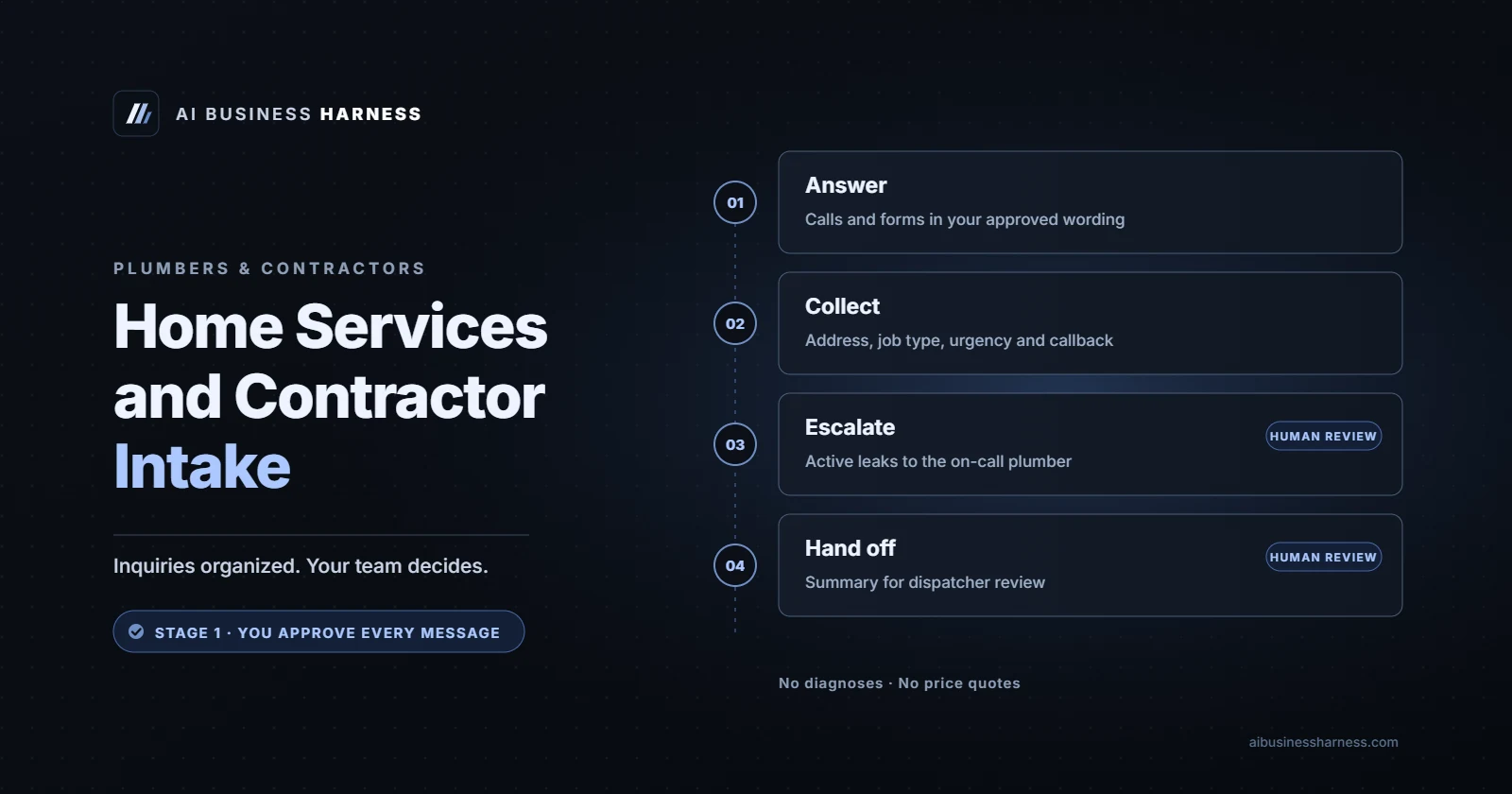
Quick answer
AI Front Desk for Contractors collects missed-call and web inquiries, organizes project details and prepares estimate scheduling while crews work. Rules outside the agent's control keep pricing subject to owner or estimator sign-off. Stage 1 requires approval of every message; urgent requests are flagged for on-call staff, not autonomous dispatch.
Why do contractors lose track of high-intent inquiries?
When you are under a sink, up a ladder or managing a job site, an incoming call can be difficult to answer. Voicemail and scattered form notifications can leave follow-up work unclear. A scoped intake workflow puts project details and the next human action in one review queue.
- Optional missed-call text-back: Missed-call texting depends on carrier text-messaging registration (A2P 10DLC) and the customer’s consent. We confirm eligibility, approved wording and opt-out handling during setup. In Stage 1, the owner approves every message before sending.
- Project qualification: Collect the address, requested work, equipment details where relevant, photos and preferred timeline. Service-area and job-type checks use your approved rules; uncertain scope goes to your staff.
- Pricing and emergency boundaries: No pricing without owner or estimator sign-off. Rules are set outside the agent’s control, with human review and checks we set up and test for each client. Urgent requests are flagged and staff are alerted or called; the system does not decide on dispatch.
How does the intake workflow keep your team in control?
We scope the channels, data fields and escalation paths with your team before setup. The table describes the proposed workflow, not a claim about an installation already running. Your approval rules, permissions and acceptance tests define what can be enabled; exceptions go to a person for review.
| Workflow stage | Action & system behavior | Human control point |
|---|---|---|
| 1. Initial engagement | Prepare responses to missed calls and form inquiries within minutes, based on your settings. | Optional SMS requires registration and consent. Stage 1 messages wait for owner approval; review time affects delivery. |
| 2. Scope triage | Collect service type, equipment age where relevant and caller-reported urgency. | Check your service-area rules; flag urgent inquiries and alert or transfer to on-call staff. No dispatch decision. |
| 3. Estimate preparation | Assemble photos, notes and requested timeline into a lead summary. | Owner or estimator reviews scope and signs off on any pricing; staff decide dispatch. |
| 4. Calendar booking | Prepare onsite estimate windows or callback options. | Check crew availability and travel buffers; owner approves confirmation in Stage 1. |
What does setup and managed operation cost?
Setup and ongoing operations are separate. Choose a scoped installation and the managed service appropriate to your approval needs. Stage 1 keeps every message under owner approval; Operations Partner supports multiple workflows from the stated monthly price. We confirm the scope, integrations and any third-party costs before work begins.
| Service | Price | Scope and review |
|---|---|---|
| Founding Client setup | $3,500 one-time | Scoped setup; no fixed offer deadline. |
| Standard setup | $5,000 one-time | Scope and acceptance checks agreed before work starts. |
| Stage 1 managed | $1,500/month | Owner approves every message; the firm designates its reviewer for legal intake. |
| Operations Partner | From $5,000/month | Multiple approved workflows; scope confirmed in writing. |
See Estimate Follow-Up for Stage 2 detail. Broader workflow boundaries are explained in the AI Business Harness framework.
Lead recovery estimator
Enter your own numbers to estimate what missed inquiries could be worth each month.
Estimated revenue from recovered calls (estimate, per month)
- Monthly service
- $1,500/mo managed or $5,000/mo Operations Partner
- One-time setup
- $3,500 Founding Client or $5,000 standard
Estimates use the numbers you enter, including your own booking-rate assumption. They are not a forecast or guarantee; results depend on call volume, response times and fit.
People also ask: what should you know before setup?
Can the AI quote prices for repairs or installations?
No pricing is sent without owner or estimator sign-off. The workflow collects project details so your team can assess the work. Rules set outside the agent’s control, human review and checks we set up and test for each client keep price requests in the approval process.
What happens if a homeowner has an emergency plumbing or HVAC issue?
The configured workflow flags reported urgency and alerts or transfers to on-call staff using your agreed routing. It does not decide on dispatch or promise an arrival time. Your team determines the response. We test escalation and fallback paths during setup; it is not an emergency-response service.
Does this integrate with our existing CRM and scheduling software?
In most cases, through your CRM's API or webhooks; we confirm the integration during scoping. We check permissions, field mapping, scheduling rules and error handling with your team before launch. If a connection is unsupported, we agree on a supported handoff instead of promising it will work.
Is missed-call text-back included automatically?
No. It is an optional workflow dependent on carrier text-messaging registration (A2P 10DLC) and the customer’s consent. We confirm registration, consent handling and opt-out rules before enabling texting. In Stage 1, the owner approves every message; missed calls do not trigger unreviewed messages.
How is customer information handled?
We agree on the fields collected, access permissions, storage and retention settings during scoping and test the configured workflow before launch. We configure providers and settings so data isn't used for training where the provider offers it, and confirm this during setup.
How do you check whether this fits your business?
Bring one inquiry workflow to a Fit Call: how requests arrive, who reviews them and where they should go next. We identify supported connections and approval points before proposing an installation. Scope, permissions, tests and release approval are agreed before a client workflow goes live.
The following trade-specific planning examples are illustrative, not client results. Actions depend on your approved configuration; Stage 1 messages wait for human approval.
Phoenix metro plumbing intake guides
Use these local guides to review your coverage and handoff rules. They describe planning scenarios, not separate staffed offices or client results. Open the metro hub.
- Peoria plumbing intake guide — Tenant access and service-boundary checks.
- Phoenix plumbing intake guide — Multi-zone routing and residential/commercial separation.
- Glendale plumbing intake guide — Commercial authorization and controlled access.
- Mesa plumbing intake guide — Warranty questions and east–west service coverage.
- Scottsdale & Paradise Valley plumbing intake guide — Owner authorization and sensitive access details.
- Surprise plumbing intake guide — Adjacent-community boundaries and absent-owner handoffs.
- Gilbert & Chandler plumbing intake guide — Residential callbacks versus commercial estimate intake.
For estimate follow up software, see the owner-approved Estimate Follow-Up offer with its own defined scope and published prices.
Hear it first. Our live voice demo is pre-set to answer as the receptionist for a made-up plumbing company. Call it the way your callers would, including something urgent like a water leak that won't stop, or a sparking electrical panel, and listen to how it handles the call.
Try the plumbing company voice demo → (runs in your browser, about 3 minutes, no sign-up; it's a demo, so nobody will actually call you back)
Who it's for
Plumbing companies and other home service contractors, such as electricians, roofers, drain and sewer specialists and garage door companies, where the owner and technicians are under a sink or on a roof when the phone rings.
Where calls and inquiries slip through
These are common situations, not statistics. If one sounds familiar, it's probably a good place to start:
- Calls that ring out while everyone is on a job, so the caller with a water leak dials the next plumber on the list.
- Nights, weekends and holidays, when burst pipes, sewer backups and sparking panels happen.
- Estimate requests on the website or by phone with no reply until someone gets back to the office.
- Callers outside your service territory, or asking for work you don't do, taking the same time as real jobs.
Illustrative example: from call to handoff to reviewed outcome
Simulated example, not a real client call or client result. Names, numbers and details are made up to show how a call would be handled.
1. The call. Sunday, 10:20 p.m. A homeowner says a pipe under the kitchen sink burst and water is spreading across the floor. They ask how much the repair will cost and how soon someone can be there.
2. What the AI front desk does. Says at the start that it's the company's AI assistant. Gives the approved safety step first: shut the main water valve if they know where it is, and stay away from outlets near the water. Confirms the address is inside the service territory, recognizes "water leak" as an emergency under the company's rules and warm-transfers the call to the on-call plumber. It doesn't quote a repair price or promise an arrival time.
3. The handoff summary your staff receive:
| Caller | Morgan (new customer) |
|---|---|
| Callback number | (555) 010-0133 |
| Service address | Inside the service territory (checked) |
| Reason | Burst pipe under the kitchen sink; water on the floor; main valve shut by the caller |
| Urgency | Emergency: warm-transferred to the on-call plumber |
| What the AI said | Approved safety step only; no repair price; no arrival promise |
| Next step for staff | On-call plumber decides on timing; office confirms the job record Monday |
| Routed to | On-call plumber (backup contact if no answer) |
4. The reviewed outcome. The on-call plumber takes the transfer and heads out. Monday, the office reviews the log, and the day-30 review checks the transfer time, that the safety step came first and that no price was quoted.
How we measure the 30-Day Installation
Success criteria are agreed in writing before anything is built, and measured against your own baseline: how calls and inquiries are handled today. We don't promise numbers in advance. At day 30 we look at:
- Answer accuracy: answers checked against your approved answer list.
- Correct escalations: urgent calls reached the right person (or the fallback) in the time you set, and routine calls weren't escalated needlessly.
- After-hours coverage: how many inquiries were handled when nobody was available.
- Response time: how quickly callers got an answer or a callback, compared with before.
- Staff time: time spent on routine calls and on reviewing the AI's work.
- Caller outcomes: service visits confirmed by your office and emergencies reached by the on-call technician.
- Handoffs and follow-ups: delayed handoffs, follow-ups completed and errors caught.
Then you decide: keep it, change it or stop it.
Read more
- Related guides: Estimate Follow-Up Software for Contractors: Automate Quote Follow-Ups Without Losing Control, After-Hours AI Answering for HVAC and Plumbing: What It Should Say at 2 a.m. and How Much Does an AI Receptionist Cost per Month?.
- The broader service: what an AI business harness is and the week-by-week 30-day workflow plan.
- Hear it: the plumbing company voice demo.
- Run your own numbers in profit, not revenue: recovered jobs × your average job value × your margin, minus third-party software costs. Our break-even guide and calculator shows the math, and the AI receptionist ROI calculator estimates missed-call revenue as a starting point. Staff time recovered and follow-ups are measured separately during the Installation against your baseline.
Where we work
AI Business Harness serves businesses statewide across Arizona and Oregon (see Arizona and Oregon). The setup happens remotely, on your existing phone system and tools, over video calls, so the managed service works the same way for plumbers and home service contractors wherever you're located.
Additional workflow resources
Keep reading

Estimate Follow-Up Software for Contractors: Automate Quote Follow-Ups Without Losing Control
Estimate follow-up for plumbers, roofers, HVAC and electricians: why quotes go cold, an approved follow-up sequence, and owner approval before anything sends.
Read article
After-Hours AI Answering for HVAC and Plumbing: What It Should Say at 2 a.m.
Setting up after-hours AI answering for HVAC or plumbing: safety first, an honest urgent route, no price guesses, and a summary your on-call tech can use.
Read articleOther industries
See how the AI front desk works for law firms, CPA and accounting firms, insurance agencies, HOA and community association managers and more.
See all industries