Safety and control
AI Workflow Approval Controls: How Human Approval Works and Who Can Set It Up
An approval control is the point where an AI workflow stops and waits for a person. Here's how it works, where it belongs, and who can build it into the software you already use.
AI workflow approval controls are the points where an automated workflow pauses before an action, such as sending an email, changing a price or publishing a post, and waits for a person to approve, edit or reject it. They're what let a business use AI on customer-facing work without letting it act unsupervised.
Most business owners who look into AI automation hit the same worry: "What if it sends something it shouldn't?" A wrong price in a quote, an off-tone reply to an upset customer, a marketing email to the wrong list.
The answer isn't to avoid AI. It's to build approval controls into the workflow: defined points where the AI stops, shows a person exactly what it's about to do, and waits.
Approval controls are the core of how AI Business Harness works. Read what a managed AI business harness is and how it keeps people in control. To decide which actions should pause for a person and which can run on their own, see our companion guide, human approval in AI workflows: what should stay under review.
The short answer
An AI workflow approval control is a step where the workflow pauses before an action, such as sending an email, updating a record or publishing a post, until a person approves, edits or rejects it. Good approval controls are placed only where a mistake would be costly, visible to customers or hard to undo, so you stay in control without approving every tiny step.
You can build them yourself with integration platforms, or have someone build them into the software you already use. Both are covered below.
Prefer to have it built for you? AI Business Harness is a managed service that builds and runs workflows like this on the software you already use, with human approval on important actions. Book a 20-minute Fit Call, or talk to the live voice demo to hear our AI front desk first.
How a human approval step works
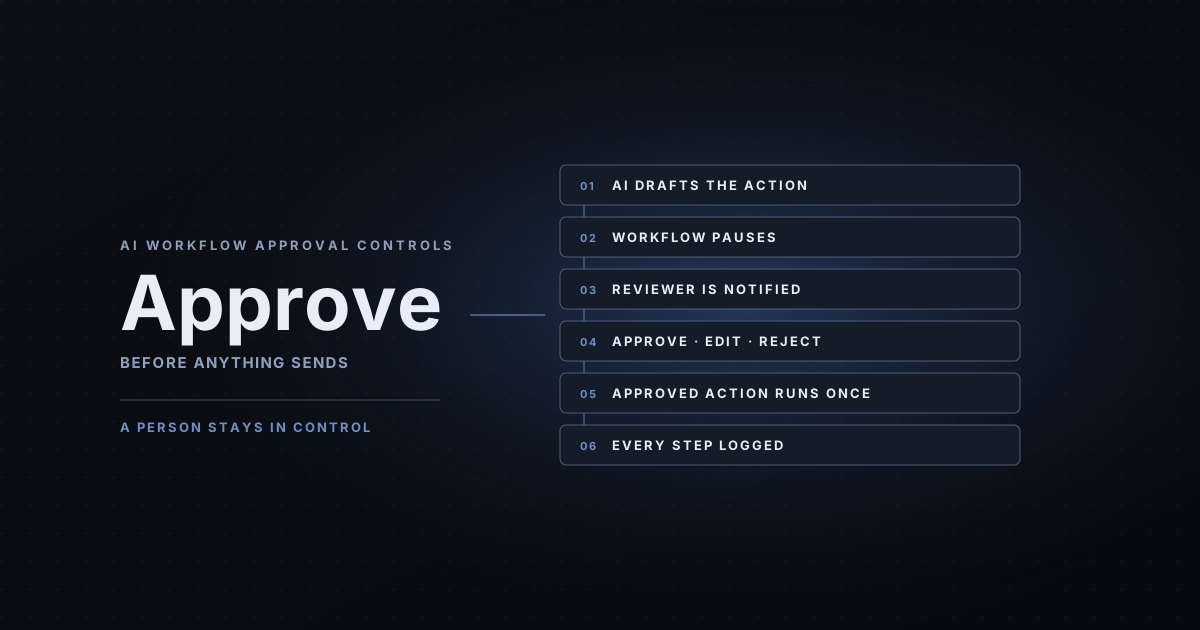
Whatever tool runs it, a well-built approval step follows the same six stages:
- Draft. Something triggers the workflow, such as a new inquiry, an open estimate or a scheduled campaign. The AI gathers the context it's allowed to see and prepares the action: a reply, a follow-up, a record update.
- Pause. The workflow stops before anything leaves the building. Nothing is sent or changed yet.
- Notify. The right person gets the request where they already work: email, Slack, a text, or a queue inside the business tool. The request shows the exact action, who it goes to, and the information it was based on.
- Approve, edit or reject. The reviewer approves it as written, fixes it, or rejects it with a reason. Edits and rejections are useful: they show where the workflow needs better rules.
- Act. Only the approved version runs, once. Duplicate protection keeps a double-click or a retry from sending it twice.
- Log. The record shows what was drafted, who approved it, what changed, when it ran and whether it succeeded. (More on what to log.)
Which actions need approval
Not everything. Approving every small step makes people stop reading and start clicking. A simple way to sort actions:
- Runs on its own: internal, low-risk and easy to reverse, like labeling an email, summarizing a call or adding a note to a record.
- Needs approval: anything a customer sees, anything involving money or prices, and anything that changes important records.
- Off-limits: actions the workflow should never take, like deleting data, issuing refunds or replying to legal complaints. These don't get an approve button. The workflow doesn't have access to them at all.
Our guide to human approval in AI workflows goes deeper on placing approval points without creating approval fatigue.
Approval controls in AI marketing automation
Marketing is where human approval matters most, because everything is public by design. Common approval points:
- Campaign and newsletter emails: the AI drafts; a person approves the copy, the audience list and the send time.
- Social posts and review replies: drafted from your guidelines, held for approval, published only after a person signs off.
- Offers and discounts: any price, promotion or guarantee always goes to a person, because a mistake there is a commitment.
- Personalized follow-ups: spot-check samples, or approve each message for anything sent to a high-value lead.
The rule of thumb: if you'd be uncomfortable seeing it screenshotted, it needs approval.
Three ways to get approval controls
| Option | What you get | What you still own |
|---|---|---|
| AI features inside your current tools | Many inboxes and CRMs now suggest drafts that a person sends by hand. Easy to turn on. | They only see what's inside that one tool, and rarely handle work that spans two or three systems. |
| DIY integration platforms (Zapier, Make, n8n) | Connectors to thousands of apps and built-in or buildable approval steps. | Designing the workflow, permissions, approval rules, timeouts, error handling, logs and ongoing maintenance. |
| Done-for-you partner | Someone scopes, builds, tests and hands over the workflow on the software you already use. | Approving the actions that matter, and deciding what to expand next. |
The DIY platforms are capable. As of November 2026, Zapier's Human in the Loop tool can pause a Zap until a reviewer approves, declines or edits; n8n can pause a workflow with "Send and Wait for Response" and require human review before an AI agent uses a tool; and Make lists a Human in the Loop app for Enterprise customers, with many builders using data stores and webhooks instead. If you have someone on your team who enjoys building and maintaining automations, they're a reasonable route.
What the approval button doesn't decide for you
Adding an approval step is the easy part. The decisions that make it safe are the ones DIY setups most often skip:
- What happens on timeout. If nobody responds, does the workflow stop or carry on? Some tools let a run continue without a response. For customer-facing actions, it should stop.
- What the reviewer actually sees. The exact message, recipient and source information, not a summary of it.
- What the workflow can reach. Least-privilege access: read-only where possible, drafts instead of sends, nothing it doesn't need.
- Duplicates and failures. Making sure an approved action runs once, and that failures land in an exception queue instead of disappearing.
- A record you can read. A log a business owner can follow, not only a run history in a builder tool.
- Who maintains it. When an app changes its login, fields or limits, someone has to notice and fix it.
Who can connect AI automation to your existing business software?
AI Business Harness does, as a managed service for businesses across Arizona and Oregon. More broadly, three kinds of people can. You can do it yourself with an integration platform such as Zapier, Make or n8n, which connect to thousands of apps and offer approval or pause steps. A freelancer or automation agency can build it for you, often on those same platforms. Or a done-for-you partner like AI Business Harness can scope the workflow, connect it to the tools you already use with minimum access, build human approval into every customer-facing action, test it on sample data, log every action and hand it over. The right choice depends on who will own and maintain the workflow after it's built.
A few questions to ask anyone you're considering, including us:
- Will it work with the software I already use, or do I have to switch?
- Which actions will need my approval, and what happens if I don't respond?
- What access will the workflow have, and how is it limited?
- Where is every action recorded, and can I read that record myself?
- How will we know, with numbers, whether it's working after 30 days?
- Who fixes it when something changes?
For the technical side of connections, from APIs to browser-based workflows, see how to connect AI to your existing business software.
How AI Business Harness does it
AI Business Harness is the done-for-you option: a managed AI operations service serving businesses across Arizona and Oregon. We connect AI to the tools you already use, and approval is part of the design from the start:
- Workflow discovery and a baseline of how the work runs today
- Connections to your existing tools with minimum access
- Human approval on customer-facing actions, with the exact action shown to the reviewer
- Testing on sample data before anything goes live
- Activity logging and handover documentation
An Installation starts at $5,000 one-time for up to two defined workflows. If you'd rather have workflows monitored, fixed and expanded over time, the AI Operations Partner starts at $5,000 per month on a 90-day starting term. Here's exactly what the 30-Day Installation includes and what costs more. For contractors and home service businesses, a common first workflow is estimate follow-up with owner approval.
Related industry guides
- Estimate Follow-Up Software for Contractors: Automate Quote Follow-Ups Without Losing Control: following up on quotes and estimates, with every message approved first.
- AI Intake for Insurance Agencies: Quote Requests and Policy Service, Never Coverage Promises: quote and service calls with no coverage advice.
- AI Inquiry Handling for Real Estate Agents and Brokerages: Fast Response Without Fair Housing Risk: fast lead response with the same questions for every caller.
Frequently asked questions
Who can connect AI automation to my existing business software?
AI Business Harness does, as a managed service for businesses across Arizona and Oregon. More broadly, three kinds of people can. You can do it yourself with an integration platform such as Zapier, Make or n8n, which connect to thousands of apps and offer approval or pause steps. A freelancer or automation agency can build it for you, often on those same platforms. Or a done-for-you partner like AI Business Harness can scope the workflow, connect it to the tools you already use with minimum access, build human approval into every customer-facing action, test it on sample data, log every action and hand it over. The right choice depends on who will own and maintain the workflow after it's built.
Can Zapier, Make or n8n add a human approval step?
Yes, with differences. As of November 2026, Zapier's Human in the Loop tool has a Request Approval action that pauses a Zap until a reviewer approves, declines or edits; it's a premium app on paid plans. n8n has a “Send and Wait for Response” operation with an Approval response type, plus human review for AI agent tools. Make's Human in the Loop app is listed for the Enterprise plan and in closed beta; otherwise approvals are usually built with data stores and webhooks. Check each vendor's current documentation before you choose.
Does human approval slow everything down?
Only if it's in the wrong places. Put approval on actions that are customer-facing, expensive or hard to undo, and let low-risk internal steps run on their own. Batch reviews, such as one approval queue checked at set times each day, keep a person in control without making them the bottleneck.
Is an AI reviewing another AI the same as human approval?
No. Automated checks are a useful extra layer for catching obvious problems, but customer-facing actions should still go to a person who sees and approves the exact message or change.
What does it cost to have AI Business Harness set this up?
An Installation starts at $5,000 one-time and covers up to two defined workflows, with human approval on customer-facing actions, testing on sample data and activity logging included. Ongoing monitoring and improvement through the AI Operations Partner starts at $5,000 per month on a 90-day starting term. Every engagement is custom-scoped, and the price is confirmed before anything connects to your systems.
Start with one workflow
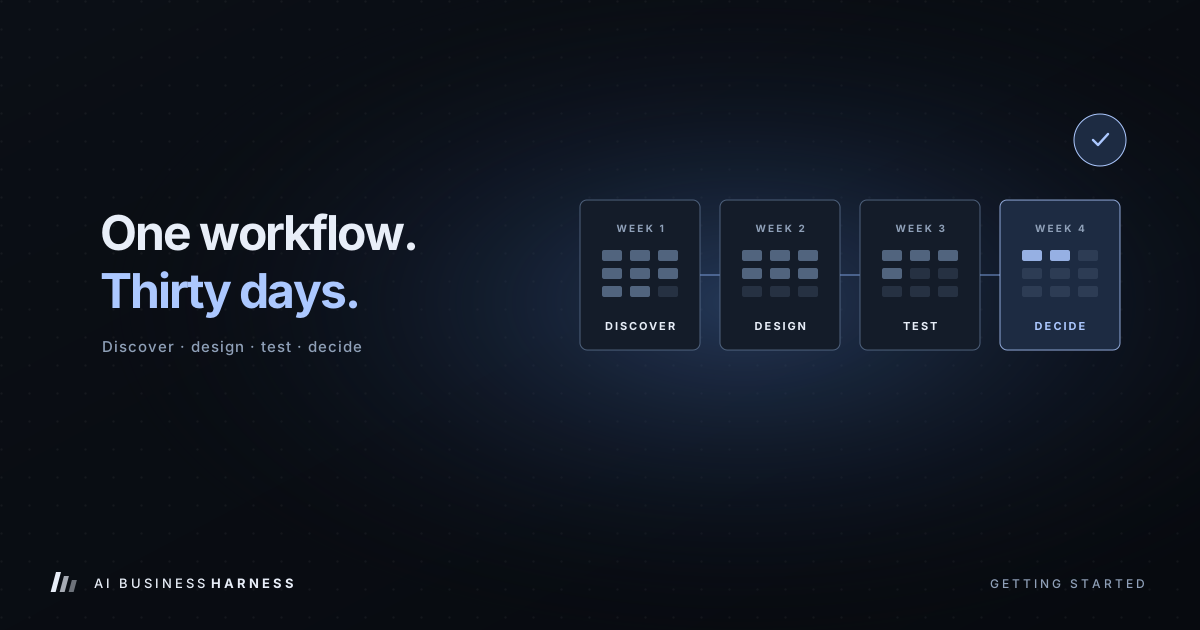
Pick one repeated task where a mistake would be visible to customers, and design the approval point before anything else. If you'd like help, book a 20-minute Fit Call. We'll tell you honestly whether a 30-Day Installation is a fit. Choosing and scoping the workflow is part of the paid engagement.
Sources: Zapier Help Center, Request approval with Human in the Loop; n8n Docs, Send Email: Send and Wait for Response and Human-in-the-loop for tools; Make, Human in the Loop app. Third-party features are as documented in November 2026 and may change.