AI Business Harness · Managed AI front desk · Pest control
AI Front Desk for Pest Control Companies
Fewer missed service calls. Better-coordinated requests. Less administrative work.
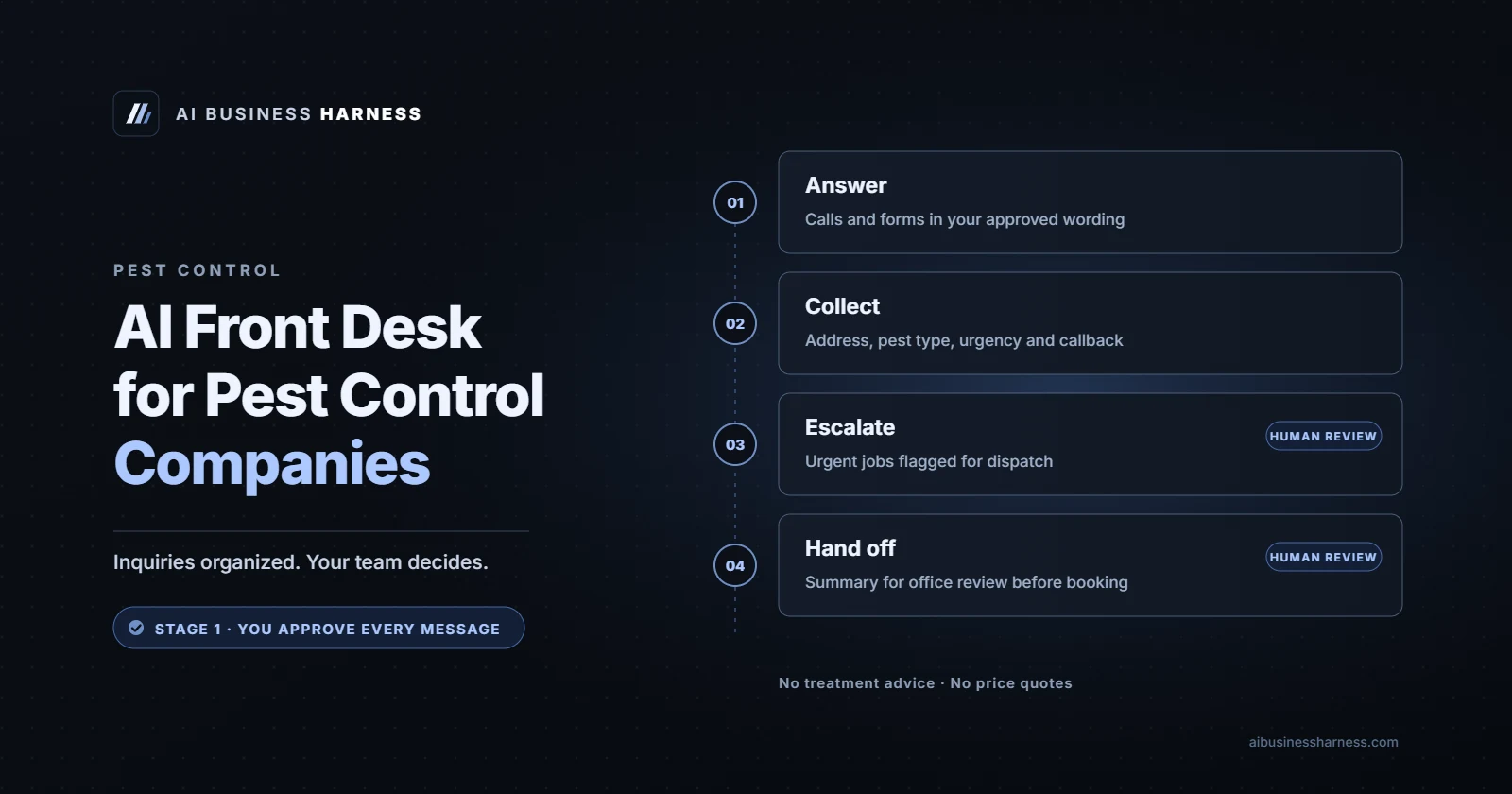
AI Business Harness helps pest control companies capture service requests, route urgent calls, coordinate callbacks and service queues, and prepare follow-ups for office review. Start with an AI front desk that handles company-approved questions and routes inquiries to your staff, then expand into managed workflows that reduce repetitive administrative work while keeping your office staff and technicians in control. Every implementation is scoped, tested and reviewed before launch.
Hear your AI front desk Download the AI Business Readiness Guide Book a Fit Call
Hear it first. Our live voice demo is pre-set to answer as the receptionist for a made-up pest control company. Call it the way your callers would, including something urgent like a bee swarm near people, and listen to how it handles the call.
Try the pest control company voice demo → (runs in your browser, about 3 minutes, no sign-up; it's a demo, so nobody will actually call you back)
Who it's for
Pest control and wildlife removal companies, where technicians are in the field all day and the office keeps weekday hours, even when the company advertises emergency service.
Where calls and inquiries slip through
These are common situations, not statistics. If one sounds familiar, it's probably a good place to start:
- Weekend closures, even though bee swarms, wasp nests and rodents don't keep office hours.
- Emergency service advertised on the website without a live way to reach someone after hours.
- Callers who reach voicemail and call the next company on the list.
- Routine calls (service area, scheduling, what a treatment involves) taking office time during the day.
What the 30-Day Installation does
The 30-Day Installation covers one or two workflows for 30 days. For pest control companies, the AI front desk usually means:
- Answers routine questions with answers you approve: service area, services offered, how scheduling works, how to prepare for a visit.
- Collects the pest, the general location and how urgent it is, and takes service requests for your office to confirm.
- Routes emergencies (a swarm near people, stinging insects inside the home) to the on-call technician by your rules.
- Gives only the safety step you approve, such as keeping people and pets away from a swarm, and tells callers to call 911 for an allergic reaction.
Before anything reaches a real caller, we measure how calls are handled today, write the approved answers with you, and test the front desk on your real scenarios: the calls you actually get, including the awkward ones. At day 30 we review the results against that baseline, and you keep it, change it or stop it.
Illustrative example: from call to handoff to reviewed outcome
Simulated example, not a real client call or client result. Names, numbers and details are made up to show how a call would be handled.
1. The call. Saturday, 5 p.m. A homeowner says a bee swarm has settled on their patio where the kids play, and asks how much removal costs.
2. What the AI front desk does. Says at the start that it's the company's AI assistant. Tells them to keep people and pets away and inside, and to call 911 if anyone stung has trouble breathing. Explains it can't quote prices, flags the call for the on-call technician and takes their name, callback number and cross streets.
3. The handoff summary your staff receive:
| Caller | Sam (new customer) |
|---|---|
| Callback number | (555) 010-0196 |
| Reason | Bee swarm on patio near where children play |
| Urgency | Urgent: sent to the on-call technician now |
| What the AI said | Stay away and inside; 911 for trouble breathing; no price quoted |
| Next step for staff | Technician calls back about a visit and price |
| Routed to | On-call technician (backup as named) |
4. The reviewed outcome. The technician calls back and decides on timing and price. Monday, the office reviews the weekend's queue, and the day-30 review checks the escalation time.
After the call, the workflow continues
An AI front desk is often the first workflow, not the entire system. Beyond the AI front desk, AI Business Harness can help organize incoming requests, prepare follow-ups for staff approval, move information between approved tools and track exceptions and pending work. Each workflow is designed around your existing systems, permissions and business rules, tested before launch and measured against an agreed baseline.
| Workflow | Potential application for pest control companies |
|---|---|
| Service request intake | Collect address area, pest type, urgency and preferred service windows for the office to schedule. |
| Urgent routing | Send calls about stinging insects near people, or other situations you define as urgent, to the on-call technician. |
| Callback and service queues | Organize requests into a callback list so the office can work through them in order. |
| Follow-up preparation | Prepare quote follow-up and service reminder drafts for office review before anything is sent. |
| Managed oversight | Track exceptions, pending approvals, workflow performance and needed improvements, with a regular review against your baseline. |
These are potential applications, not completed integrations. Which tools can be connected, and which workflows are added, is confirmed during scoping. See how we connect AI to existing business software.
Guardrails and safeguards
The AI suggests, the harness controls, your team decides. For pest control companies, the front desk:
- Never quotes prices.
- Never gives pesticide or chemical safety advice beyond your approved script.
- Never promises a same-day visit unless your rules allow it.
- Every answer it gives is on a list you approved.
Across every setup:
- It says it's an AI at the start of every call, not only when someone asks.
- Pre-approved answers are kept separate from actions that need approval. It can give the answers on your approved list on its own. Anything that books, commits, quotes or sends something on your behalf waits for a person.
- Recording and consent are reviewed for your jurisdiction. Whether calls are recorded or transcribed, and the notice callers hear, is checked before launch for the states involved; some states require every party's consent.
- Every urgent route has a fallback. For example, if the on-call technician doesn't respond within the time you set, the call goes to the backup contact you name.
- It can make mistakes. No AI system is guaranteed to be right every time, which is why it's limited to approved answers, tested before launch, logged and reviewed. Anything it isn't sure about goes to a person.
More on how human approval works in AI workflows and AI workflow approval controls.
How we measure the 30-Day Installation
Success criteria are agreed in writing before anything is built, and measured against your own baseline: how calls and inquiries are handled today. We don't promise numbers in advance. At day 30 we look at:
- Answer accuracy: answers checked against your approved answer list.
- Correct escalations: urgent calls reached the right person (or the fallback) in the time you set, and routine calls weren't escalated needlessly.
- After-hours coverage: how many inquiries were handled when nobody was available.
- Response time: how quickly callers got an answer or a callback, compared with before.
- Staff time: time spent on routine calls and on reviewing the AI's work.
- Caller outcomes: service requests scheduled by your office.
- Handoffs and follow-ups: delayed handoffs, follow-ups completed and errors caught.
Then you decide: keep it, change it or stop it.
Read more
- Related guides: AI Receptionist vs. Answering Service vs. Managed AI Workflow: An Honest Comparison and AI Estimate Follow-Up: How Service Businesses Stop Losing Quoted Jobs.
- The broader service: what an AI business harness is and the week-by-week 30-day workflow plan.
- Hear it: the pest control company voice demo.
- A supplementary check: the AI receptionist ROI calculator estimates missed-call revenue from numbers you enter. It doesn't measure the wider value of managed operations, such as staff time, delayed handoffs and follow-ups, which the Installation measures against your baseline.
Where we work
AI Business Harness serves businesses statewide across Arizona and Oregon (see Arizona and Oregon). The setup happens remotely, on your existing phone system and tools, over video calls, so the managed service works the same way for pest control companies wherever you're located.
What your investment covers
The AI front desk is usually the first workflow, not the whole service. The 30-Day Installation proves it on your calls. If you continue, the AI Operations Partner is managed AI business operations: we keep the front desk running and add further approved workflows over time.
| Offering | What it covers |
|---|---|
| 30-Day Installation (from $5,000 one-time) | Workflow discovery and a baseline of how the work runs today; up to two agreed workflows; one agreed integration path with minimum access, with feasibility assessed during scoping; testing on sample data and real scenarios before launch; human approval controls; activity logging and reporting; a day-30 results review and handover documentation. |
| AI Operations Partner (optional, after the Installation) | A 90-day starting term with an agreed roadmap; defined monthly workflow capacity for new workflows and improvements; monitoring, exception review and fixes; permission and access management; a monthly results review against your baseline; direct support within agreed hours; a written scope. |
The monthly partnership isn't required after the Installation. If the workflow is stable and someone on your team owns approvals, you can run it yourself. Every engagement has a written scope.
Download the AI Business Readiness Guide Book a Fit Call
The guide is a free PDF from AI Business Harness, no email required: what to check before you invest in AI operations, a readiness scorecard and what a 30-Day Installation tests.
Pricing
The 30-Day Installation covers up to two workflows, from $5,000 one-time. It is a paid engagement, not a free trial. If you keep the workflow running, managed operations (the AI Operations Partner) are from $5,000 a month on a 90-day starting term. Third-party software and usage are billed separately, and every engagement is custom-scoped with the price confirmed in writing before work begins. See what the 30-Day Installation includes.
Frequently asked questions
Can it reach our on-call technician at night?
It can be set up to, by the route you choose (a call, a text or both), and only for the call types you define as urgent.
Is this different from an answering service?
An answering service takes messages; a managed AI front desk answers routine questions with your approved answers, sorts urgency and routes. We compare them in AI receptionist vs. answering service.
Do you only work with businesses in Arizona and Oregon?
We serve businesses statewide across Arizona and Oregon. Because it's a managed service delivered remotely, the same setup works for a pest control company anywhere; we'll tell you on the Fit Call if there's anything location-specific to check.
Is this just an AI receptionist?
No. The AI front desk is usually the first workflow. AI Business Harness is a managed AI operations service: after the 30-Day Installation, the AI Operations Partner can add further approved workflows, such as follow-up preparation, request routing and handoffs into the tools you already use where supported, with monitoring and a monthly results review.
What does it cost?
The 30-Day Installation covers up to two workflows, from $5,000 one-time. It is a paid engagement, not a free trial. If you keep the workflow running, managed operations (the AI Operations Partner) are from $5,000 a month on a 90-day starting term. Third-party software and usage are billed separately, and every engagement is custom-scoped with the price confirmed in writing before work begins.
What's the first step?
Book a 20-minute Fit Call, or hear the voice demo and download the AI Business Readiness Guide first. On the call, we'll talk through your calls and tell you honestly whether a 30-Day Installation is worth it.