Foundations
The AI Business Harness: Why Your Business Needs More Than an AI Agent
How local businesses and growing companies can build a managed AI workforce that connects phone calls, daily operations and the software they already use, with people still in charge.
An AI receptionist can answer your phone. An AI business harness makes sure the work that comes after the call actually gets done.
Picture a customer calling after hours. The AI voice assistant picks up, explains your services and takes down their information. So far, so good. But then what? Does the inquiry reach the right person on your team? Does anyone follow up? Did the details get recorded correctly? And what happens when a connected system goes down, a request is urgent, or the next step needs someone's sign-off?
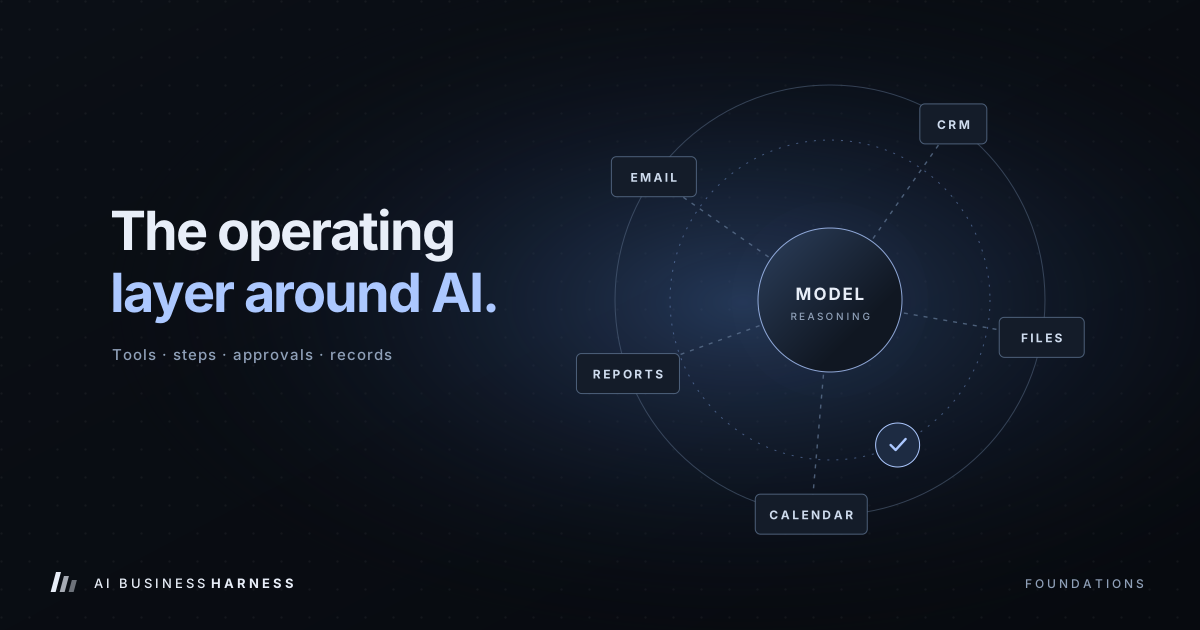
Those questions are the gap between a slick AI demo and something you can actually run a business on. An AI business harness is the layer that closes that gap. It connects AI agents to your approved tools, workflows and permissions, and it keeps a human in the loop where one belongs.
AI Adoption Is Growing, but Few Businesses Have Fully Integrated It
The Federal Reserve Banks' 2026 Report on Employer Firms, based on the 2025 Small Business Credit Survey, found that:
- 46% of surveyed employer firms were using artificial intelligence, and another 15% planned to start within 12 months.
- Of the firms using AI, 44% had partially integrated it into their business processes.
- Only 7% of AI users said it was fully integrated into their business.
- 71% of AI users said their use of AI led to increased productivity.
Federal Reserve Governor Lisa D. Cook pointed to the same finding in welcome remarks on June 24, 2026: nearly half of small employer firms reported using AI in some capacity, and 71 percent of those firms reported increased productivity as a result.
In other words, plenty of businesses have AI tools. Very few have built the systems that let them use those tools consistently in day-to-day work. That's the opportunity.
(One caveat: the survey is a nonrandom convenience sample of 6,525 small employer firms, so treat these figures as a strong signal rather than an exact measure of every U.S. business.)
Source: Federal Reserve Banks, 2026 Report on Employer Firms: Findings from the 2025 Small Business Credit Survey, published March 3, 2026.
What Is an AI Business Harness?
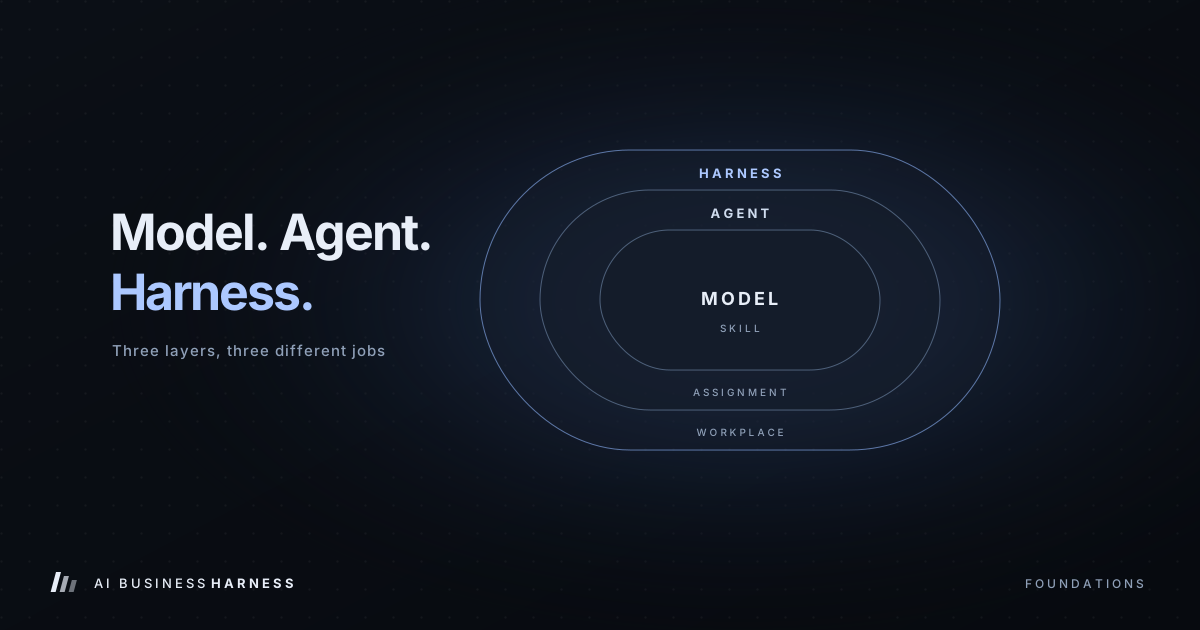
An AI business harness is a managed system built around artificial intelligence. The AI model handles the thinking: understanding requests, writing responses, reading information and suggesting next steps. The harness decides how all of that plugs into your business: which systems the AI can touch, what it's allowed to do, how tasks are coordinated, what gets logged, and when an employee needs to approve or finish the job.
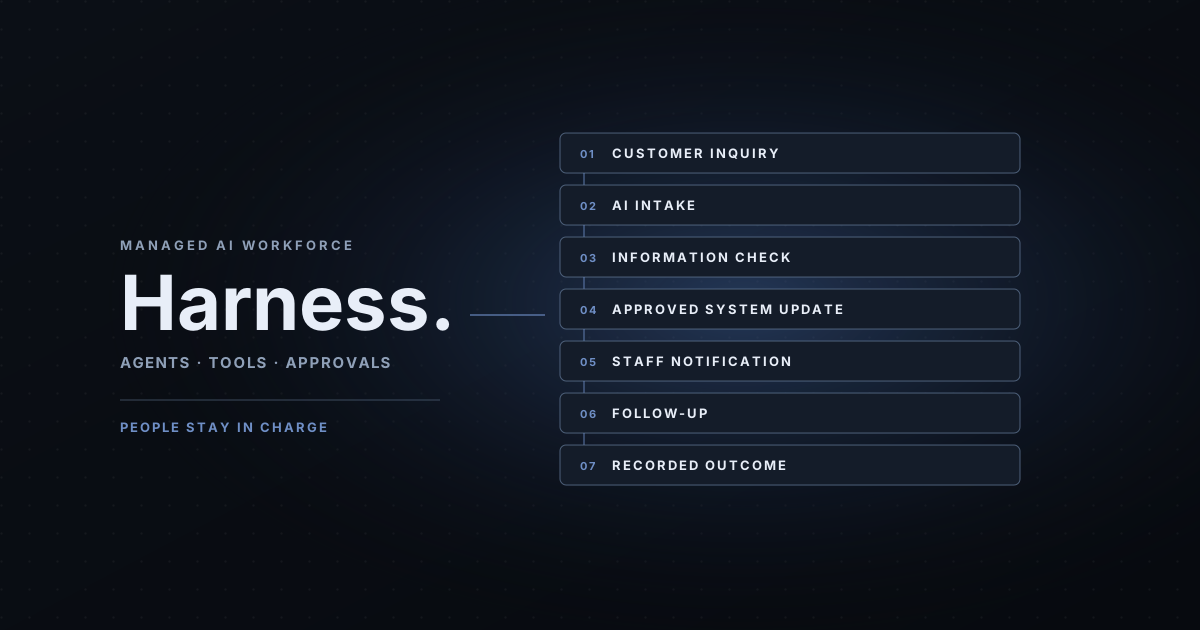
Take a new customer inquiry. On its own, an AI assistant might answer a question or draft a reply. Inside a properly built harness, the same inquiry follows a complete path:
Customer inquiry → AI intake → information check → approved system update → staff notification → follow-up → recorded outcome
Every step runs on your rules and the integrations you've approved. And not every step should be automated: sensitive decisions, exceptions and anything with real consequences can be routed to a person. The goal isn't an AI that does whatever it wants. The goal is work that reliably gets done.
From One AI Receptionist to a Managed AI Workforce
Most businesses should start with one clearly defined problem. For service businesses, that's usually incoming calls and inquiries.
Stage 1: The AI front desk
A managed AI front desk answers routine calls, collects contact details, explains your approved services, spots urgent requests and routes everything to your staff. You control what it says and what it's allowed to do. It should identify itself as an AI assistant, follow the call-recording and communication rules that apply to you, and always give callers a clear way to reach a person. It's a natural first workflow because so much admin work starts with a customer conversation.
Stage 2: The AI inbox assistant
Next up is usually email. An inbox assistant sorts incoming messages, recognizes common requests, drafts replies and flags anything that needs attention. Where you've approved it, it can also kick off follow-up steps in your other systems. Your team still reviews anything sensitive before it goes out.
Stage 3: The AI operations assistant
An operations assistant handles the repetitive back-office work: preparing record updates, organizing service requests, checking where approved processes stand and pinging employees when information is missing. Its job is to cut down the friction between your systems and departments.
Stage 4: Specialist agents working together
As you grow, several specialist agents can each cover a function: one handling inquiries, one preparing follow-ups, one reporting on unfinished work. They don't each need their own computer, phone number or inbox; those get set up only when a workflow genuinely calls for them. The harness keeps track of what each agent can access, what it's allowed to do and when a person needs to step in. That's how a pile of separate AI tools becomes a system you can actually manage.
The Seven Layers Behind Reliable AI Business Operations
A dependable harness takes more than a smart language model. It needs:
- Business knowledge and approved instructions. Accurate information about your services, locations, hours, procedures, escalation rules and approved answers, with someone responsible for keeping it current.
- Secure connections to the tools you already use. Your CRM, calendar, email and service-management software, connected with only the permissions each workflow needs and confirmed during setup.
- Workflow orchestration. Tasks broken into defined steps, so the system knows what comes first, what depends on what, and what to do when it can't continue.
- Human approval controls. Certain actions pause until an authorized employee reviews them: unusual payments, sensitive customer messages, changes to important records, and anything that calls for professional judgment.
- Saved workflow state. Long-running work shouldn't vanish when a session ends or a service hiccups. A well-built system picks up where it left off and avoids doing the same thing twice.
- Monitoring and testing. You need proof of what happened: completed tasks, response times, exceptions, human interventions and anything left unresolved. Regular testing catches problems after changes to instructions, integrations or processes.
- Recovery and accountability. When something fails, the system responds safely: retrying where that's allowed, flagging the issue, pausing the workflow or logging it for follow-up. Failures should be visible, never silently swallowed.
Put together, these layers turn AI from a standalone chatbot into part of a controlled business process.
AI Automation for Small Business: Examples by Industry
The right first workflow depends on the business. A few examples:
- Law firms: Collect basic intake details, explain intake procedures and flag time-sensitive requests. Attorneys keep legal advice, conflict checks and representation decisions.
- CPA and accounting firms: Handle routine questions about office procedures, document uploads and appointments. Tax advice and confidential account details stay with your professionals.
- Insurance agencies: Sort and route customer requests to licensed staff. Coverage interpretation, binding and policy recommendations stay with licensed agents.
- HOA and property management: Organize maintenance requests and community questions, with emergencies escalated by your existing procedures.
- Mortgage brokers: Collect general inquiries and prep handoffs to staff, without quoting rates, approvals or loan terms.
- Home builders and remodelers: Organize project inquiries, consultation requests and client updates for office review and scheduling.
- Dental offices and medical practices: Start with administrative inquiries and appointment requests. Clinical decisions and protected patient information need proper controls and professional oversight.
- Real estate brokerages: Give agents organized inquiries and drafted follow-ups, while fair housing compliance and professional judgment stay with licensed people.
- Med spas: Separate routine consultation questions from ones that need qualified clinical staff.
- Pest control companies: Collect and route service requests, including urgent after-hours calls, without making pricing, scheduling or chemical-safety promises the business hasn't approved.
These are illustrations of what's possible, not claims that every integration exists for every software product. The principle is the same across all of them: automate the repetitive work, and keep people in control of the important decisions.
Why an AI Receptionist Alone May Not Justify the Investment
When you're weighing AI, missed calls are only part of the picture. Say you estimate (for example, with our AI receptionist ROI calculator) that missed inquiries are worth $1,500 a month in potential revenue. On its own, that wouldn't justify a managed service that starts at $5,000 a month.
But look at the whole operation and more problems usually show up. Staff spend hours copying information between apps. Follow-ups slip because everyone's busy. Managers can't easily see which requests are still open. Different departments re-enter the same data.
A real AI business harness engagement looks at all of those connected processes, not just phone answering. The business case should weigh time recovered, errors avoided, follow-ups completed and how much work gets through the system. And it should be honest: potential revenue isn't realized revenue, and time saved isn't automatically money saved. A credible case starts from your actual numbers and keeps projected benefits separate from proven results.
Start With the 30-Day Installation
You don't have to automate every department at once. The best way to start is one or two workflows, built properly and proven in your business.
The 30-Day Installation is a paid engagement with a fixed, written scope, delivered over 30 days. It covers up to two agreed workflows, and it runs like this:
- Discovery. We pick a repetitive task, map how it works today and document your business rules.
- Design. We confirm the available integrations, what the AI is allowed to do, when it escalates and what needs approval.
- Build and test. We build the workflows and test them against realistic scenarios, including exceptions and failures.
- Launch and measure. The workflows go live and are measured against an agreed baseline.
- Handover. You get documented, working workflows and a clear picture of the results, so you can decide whether to keep them as they are, expand them, or move to ongoing management.
The 30-Day Installation starts at $5,000, paid as a one-time fee. It isn't a free trial. The exact scope and price are confirmed in writing before work begins. Third-party software and usage charges are billed separately. See what the 30-Day Installation includes.
After the Installation: Managed AI Operations
Once your first workflows are proving themselves, the next step for many businesses is ongoing management. This is where the harness really pays off: instead of stacking up disconnected AI subscriptions, you build a coordinated roadmap of approved workflows.
The AI Operations Partner service covers monitoring, workflow adjustments, exception review, permission upkeep, testing and performance reporting within an agreed scope. It starts at $5,000 per month, with a 90-day starting term. Workflow capacity and support limits are defined in writing; there's no vague "unlimited" promise. Third-party software and usage costs are separate. The partnership is optional and isn't required after the Installation.
Larger companies that need several workflows, dedicated infrastructure, complex integrations or formal handover requirements get a separately scoped quote.
Should Your Business Own Its AI System?
Any AI investment raises a fair question: who controls what? You should know who holds the credentials, customer records, workflow configurations and vendor accounts. You should know which parts can be transferred, which are covered by third-party licenses, and what happens if a management contract ends.
A good agreement spells out data access, export options, responsibilities and handover terms. A client-owned installation and an ongoing managed service are different arrangements, and either can be the right fit depending on your in-house technical resources. Whichever you choose, the priority is the same: don't end up dependent on any one person or provider.
Where to Start With AI Business Operations
Instead of asking "How many AI employees should we buy?", ask the practical questions. Where does information get stuck? Which requests sit waiting for someone to copy details from one system to another? Which routine tasks eat up your skilled people's time? Which processes could improve without handing sensitive decisions to software?
The best first project usually isn't the flashiest one. It's the repetitive workflow with a clear owner, an understood process, manageable risk and results you can measure. Businesses that learn to find, document, test and improve workflows like that will be in the best position to decide what to automate next. For a structured self-check, download The AI Business Readiness Guide (PDF).
Frequently Asked Questions
What is an AI business harness?
It's an operational system that connects AI to your approved business tools, workflows, permissions, monitoring and human oversight. It coordinates tasks and puts controls around automated actions.
Is an AI business harness the same as an AI agent?
No. An AI agent performs or suggests tasks. The harness is the structure around it that lets those tasks run responsibly inside your business.
Can several AI agents work together?
Yes. Specialist agents can cover intake, follow-up, operations and reporting. What they can do depends on the systems, permissions and workflows that are set up.
Will AI replace our existing software?
Not usually. A harness is typically built to work with the tools you already use. Replacing software is a separate decision.
Can employees approve AI actions?
Yes. Approval checkpoints can require a designated employee to review specific actions before they happen, and different actions can need different levels of sign-off.
Can AI workflows recover from interruptions?
A well-engineered workflow can use saved state, controlled retries and escalation to recover. That has to be designed and tested; it doesn't come automatically with an AI agent.
How much does it cost?
The 30-Day Installation starts at $5,000 one-time and covers up to two workflows delivered over 30 days. It's paid, not a free trial. The AI Operations Partner starts at $5,000 per month with a 90-day starting term. Larger installations are quoted separately. Third-party software and usage costs are extra, and every price is confirmed in writing before work begins.
Does every business need multiple AI agents?
No. Many businesses are best served by one narrow, reliable workflow. Add more agents only when they solve a real, demonstrated problem.
The Bottom Line: Don't Just Add AI. Build the System Around It.
AI can help your business communicate, organize information and handle repetitive work. But a model on its own doesn't give you accountability. Reliable results come from defined processes, approved integrations, permission controls, human oversight, monitoring and steady improvement. That's what an AI business harness provides.
The point isn't to replace your team with a crowd of uncontrolled digital employees. It's to give the people you already have better systems, fewer handoffs and more time for the work that needs their expertise.
See What a Managed AI Workforce Could Look Like for Your Business
Hear an AI front desk handle a realistic customer call, then talk through how intake, follow-ups and operations could connect to the tools you already use.
- Listen to the AI Front Desk Demo
- Explore AI Front Desk Solutions by Industry
- Book a 20-Minute Fit Call
- Estimate your missed-call revenue with the AI Receptionist ROI Calculator
Or reach out directly: jeremy@aibusinessharness.com · 971-446-5221
AI Business Harness designs, builds and manages AI-powered business systems for companies that want more organized, accountable operations. Serving businesses across Arizona and Oregon, with remote implementations available depending on scope.