Strategy
The 4 Automation Layers Small Businesses Need Going Into 2027
Forrester expects enterprises to pull some AI agent work back to plain rules in 2027. The same lesson applies to a 10-person shop: use AI only where it earns its keep, and wrap it in visibility and approval.

For the last two years, the loudest automation advice has been “put an AI agent on it.” Going into 2027, the advice is getting more careful, and not because AI stopped working. It's because running AI on everything costs money, needs checking, and is hard to see into.
This guide translates where automation is heading into something a small local business can use: four layers, what each one is for, and how they fit together in one real workflow.
What Forrester is predicting for 2027
On October 28, 2026, Forrester published Predictions 2027: Automation Initiatives Become More Considered. Two of its predictions matter here:
- “Enterprises will revert 20% of agentic workflows to deterministic processes to save money.” Forrester notes that infrastructure, documentation and data automation, “seen as important by 84% of automation decision-makers in Forrester's Automation Survey, 2025,” don't always need AI to cut costs and boost productivity.
- “Twelve percent of firms will move process intelligence from afterthought to core capability.” Forrester points to token cost overruns, inaccurate AI agent outcomes and agent sprawl, and says tech leaders should use process intelligence “as an always-on guardrail for AI behavior, cost, and outcomes.”
These are predictions about enterprises, not data about small businesses. But the lesson scales down well: use AI where it earns its keep, use plain rules everywhere else, and make sure you can see and control what's running.
The short answer: four layers
- Rules (the deterministic layer): fixed steps that run the same way every time.
- AI agents and orchestration: the steps that need reading, judgment or drafting, and the coordination between steps and tools.
- Visibility and guardrails: logs, costs, exceptions and access limits, so you can see what happened and what it cost.
- Human approval: a person signs off before anything customer-facing, money-related or hard to undo.
| Layer | What it does | Small-business example | Cost and risk |
|---|---|---|---|
| 1. Rules | Moves data, routes work and triggers steps on fixed conditions | A new web form creates a CRM record and lands in the right person's queue | Cheap and predictable; breaks only when a tool changes |
| 2. AI agents and orchestration | Reads messy input, classifies, summarizes and drafts; passes work between steps | Reads an inquiry, works out the job type and drafts a reply from your approved information | Costs per use and can be wrong, so it needs the next two layers |
| 3. Visibility and guardrails | Logs every action, tracks costs, catches failures and limits access | A log you can read, a monthly usage cost line and an exception queue | Small effort up front; it's how you catch problems early |
| 4. Human approval | Pauses before sensitive actions until a person approves, edits or rejects | You approve each estimate follow-up from your phone before it sends | A few minutes a day; prevents the mistakes that cost the most |
Layer 1: Rules for everything predictable
A surprising amount of small-business automation doesn't need AI at all. If you can write a step as a checklist, it belongs here:
- When a web form comes in, create the contact and assign it to the office.
- When an estimate has had no reply for two days, add it to the follow-up queue.
- When a job is marked complete, schedule the invoice reminder.
- Every Monday at 7 a.m., send the open-estimates list to the owner.
Rules are cheap to run, give the same result every time and are easy to test. They're also easy to forget about, which is good: that's what you want from plumbing. The 2027 lesson from Forrester's first prediction is simply this layer, applied with discipline: don't pay a model to do what a rule can do.
Layer 2: AI agents and orchestration, where judgment helps
AI earns its place where the input is messy or the output needs to sound like a person wrote it:
- Reading a rambling inquiry email and working out whether it's a repair, a quote request or a complaint.
- Drafting a personal follow-up that names the job and answers the likely question.
- Summarizing a call or a long email thread into three lines for the record.
- Pulling the key fields out of a PDF or a photo of a form.
Orchestration is the part that connects those steps: the inquiry is read, the CRM is checked, the reply is drafted, and the draft goes to the approval queue, in that order, every time. The safest version keeps the AI inside defined steps with only the access each step needs. That's the difference between a model, an agent and a harness: not an AI agent with the keys to everything.
Layer 3: Visibility and guardrails for costs and logs
Forrester's second prediction is about seeing what your automation actually does. Enterprises buy process intelligence software for this. A small business needs the same idea at a smaller scale:
- A log you can read. What ran, when, what it touched, who approved it and whether it worked. Here's what a good log should capture.
- A cost line. What the AI usage and any third-party software cost to run each month, so a workflow never quietly gets expensive.
- An exception queue. Failed or unclear runs land somewhere a person will see them instead of disappearing.
- Minimum access. Each workflow reaches only the tools and records it needs, read-only where possible.
- A baseline. How the work ran before, so “is it working?” has a numeric answer.
Without this layer, the first two layers are a black box. With it, you can tell which steps should stay AI, which should become rules, and which should be switched off.
Layer 4: Human approval on what matters
The last layer is a person. Not on every step, which only teaches people to click without reading, but on the actions where a mistake would be visible, expensive or hard to undo:
- Anything a customer sees: replies, follow-ups, review responses, marketing emails.
- Anything involving money: prices, discounts, refunds, invoices.
- Changes to important records.
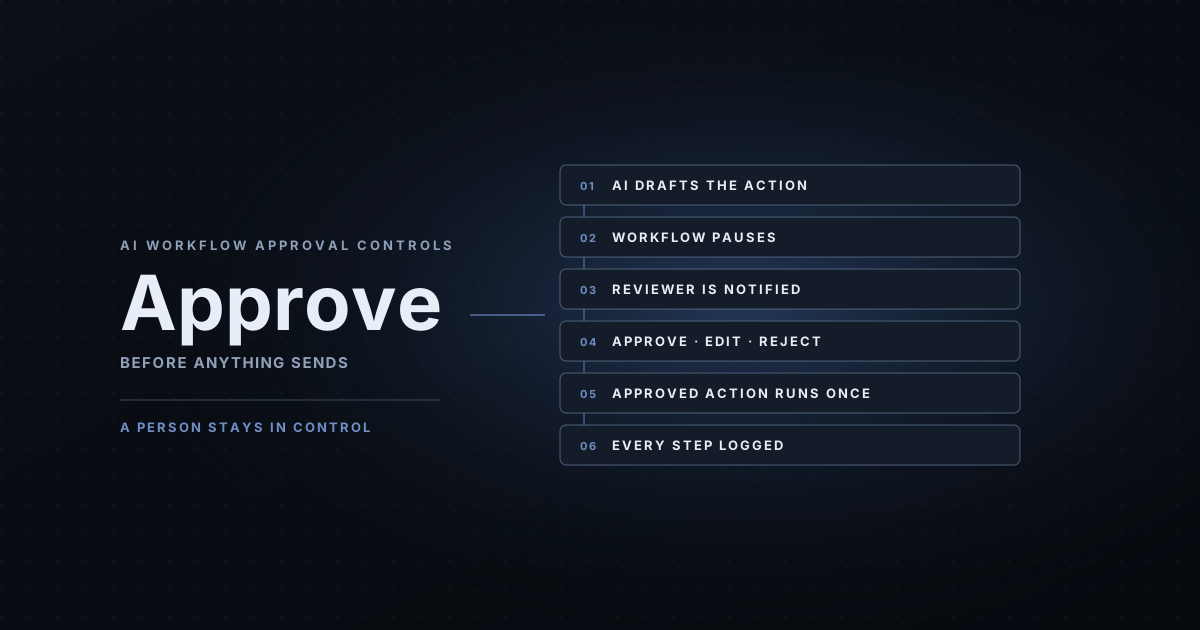
The reviewer should see the exact message or change, approve, edit or reject it, and know that only the approved version runs, once. Our guide to AI workflow approval controls walks through how that works in practice.
All four layers in one workflow
Here's how the layers fit together in estimate follow-up, a common first workflow for contractors and home service businesses:
- Rule: each morning, find estimates sent two or more days ago with no reply, no booking and no “no thanks.”
- AI: draft a short, personal check-in for each one, using the job details and your approved wording.
- Visibility: log every draft, note the usage cost and send anything unclear, such as a missing email address, to the exception queue.
- Approval: the owner reviews the drafts from their phone, approves, edits or skips each one, and only approved messages are sent.
- Rule again: when a customer replies or books, the sequence stops for that estimate and the reply goes straight to a person.
Notice how little of that is AI. One step out of five uses a model. That's the 2027 pattern in miniature.
Common mistakes going into 2027
- Using AI for steps a rule could handle. It costs more and behaves less predictably.
- No log. If you can't see what ran, you can't fix it, trust it or prove it worked.
- No approval point, or approval on everything. Both fail: one sends mistakes, the other buries the reviewer.
- No baseline. Without “before” numbers, every result is an opinion.
- Starting with five workflows. Start with one, prove it, then expand.
How AI Business Harness builds the layers
AI Business Harness is a managed AI operations service serving businesses across Arizona and Oregon. Every workflow we build uses all four layers: rules for the predictable steps, AI only where it's useful, minimum-access connections to the tools you already use, activity logging, and human approval on customer-facing actions. We test on sample data before anything goes live and measure against a baseline.
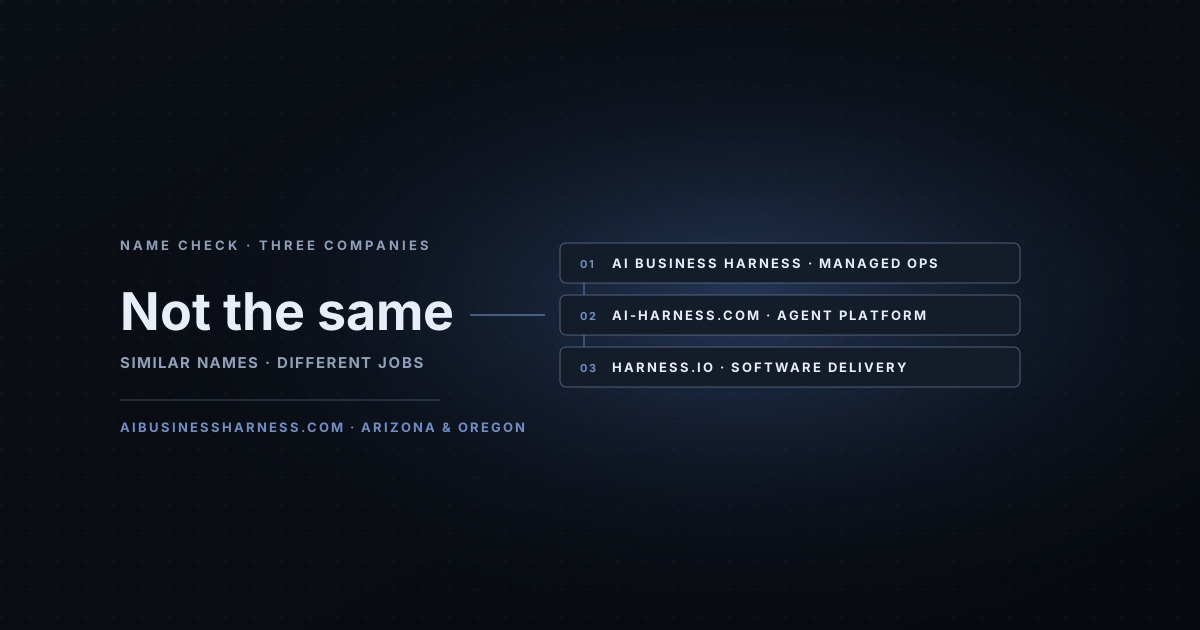
An Installation starts at $5,000 one-time for up to two defined workflows, and the AI Operations Partner starts at $5,000 per month on a 90-day starting term for ongoing monitoring, exception review and improvements. Here's what the 30-Day Installation includes and what costs more. If you came here looking for a different “harness,” this explainer sorts out AI Business Harness vs. AI-Harness vs. Harness.io. Or start from the AI Business Harness homepage.
A 2027 checklist for one workflow
- Pick one repeated task and write down how it runs today.
- Mark each step: rule, AI or person.
- Decide which actions need approval and which are off-limits.
- Decide where the log lives and who checks the exception queue.
- Agree what “working” means in numbers, and review it after 30 days.
Frequently asked questions
What are the layers of business automation?
For a small business, think in four layers: a deterministic layer of fixed rules for predictable steps; an AI agent and orchestration layer for steps that need reading, judgment or drafting; a visibility and guardrail layer that records actions, tracks costs and limits access; and a human approval layer where a person signs off on customer-facing, money-related or hard-to-undo actions.
What does Forrester predict for automation in 2027?
In its Predictions 2027 automation blog post, published October 28, 2026, Forrester predicts that enterprises will revert 20% of agentic workflows to deterministic processes to save money, and that twelve percent of firms will move process intelligence from afterthought to core capability. These are predictions about enterprises, not measurements of small businesses.
Does every workflow need AI?
No. If a step can be written as a fixed rule, such as “if an estimate has had no reply in two days, add it to the follow-up queue,” a rule is usually cheaper, faster and more predictable than an AI model. Use AI for the parts that need it, like reading a messy inquiry or drafting a personal reply.
What is the difference between deterministic and agentic automation?
Deterministic automation follows fixed rules and gives the same result every time for the same input. Agentic automation uses an AI model to interpret inputs and decide or draft the next step, which handles messy work better but costs more per run and needs checking. Most good small-business workflows use both.
Do small businesses need process intelligence software?
Usually not a dedicated product. What a small business needs is the same idea at a smaller scale: a readable log of what each workflow did, a view of what it costs to run, an exception queue for anything that failed, and a monthly comparison against the baseline.
How does AI Business Harness build these layers?
Each workflow we build uses rules for predictable steps, AI only where it's useful, minimum access to your existing tools, activity logging, and human approval on customer-facing actions. An Installation starts at $5,000 one-time for up to two workflows, and the AI Operations Partner starts at $5,000 per month on a 90-day starting term. Every engagement is custom-scoped.
Sort your first workflow into layers
Bring one repeated task to a 20-minute Fit Call. We'll sort it into rules, AI, visibility and approval, and tell you honestly whether it's worth automating.
Source: Paul Miller, Forrester, Predictions 2027: Automation Initiatives Become More Considered, October 28, 2026. Quotations checked against the published post on November 1, 2026. Forrester's predictions concern enterprises; AI Business Harness is not affiliated with Forrester. Prices are starting prices as published on aibusinessharness.com in November 2026; every engagement is custom-scoped.